Choose from 8 different formats

When it comes to business reporting, one size does not fit all. Plecto's new report charts allow you to present your data in any way you will ever need.

Reports support the following charts and graphs:

  • Column charts
  • Bar charts
  • Line graphs
  • Combo graphs
  • Area charts
  • Pie/Donut charts
  • Waterfall graphs
  • Tables

Report Charts Functionality

Our solution offers all of the customization options you need to get in-depth reports with minimal hands-on time.

Plecto's new report charts:

  • Data visualization in 8 different formats
  • Each chart supports up to 20 KPIs
  • Instant previews, filtering comparison and much more
  • Offer broad customization options
  • Real-time report data β€” no need to refresh
  • Re-use already existing KPIs for building your report

Comprehensive reporting options

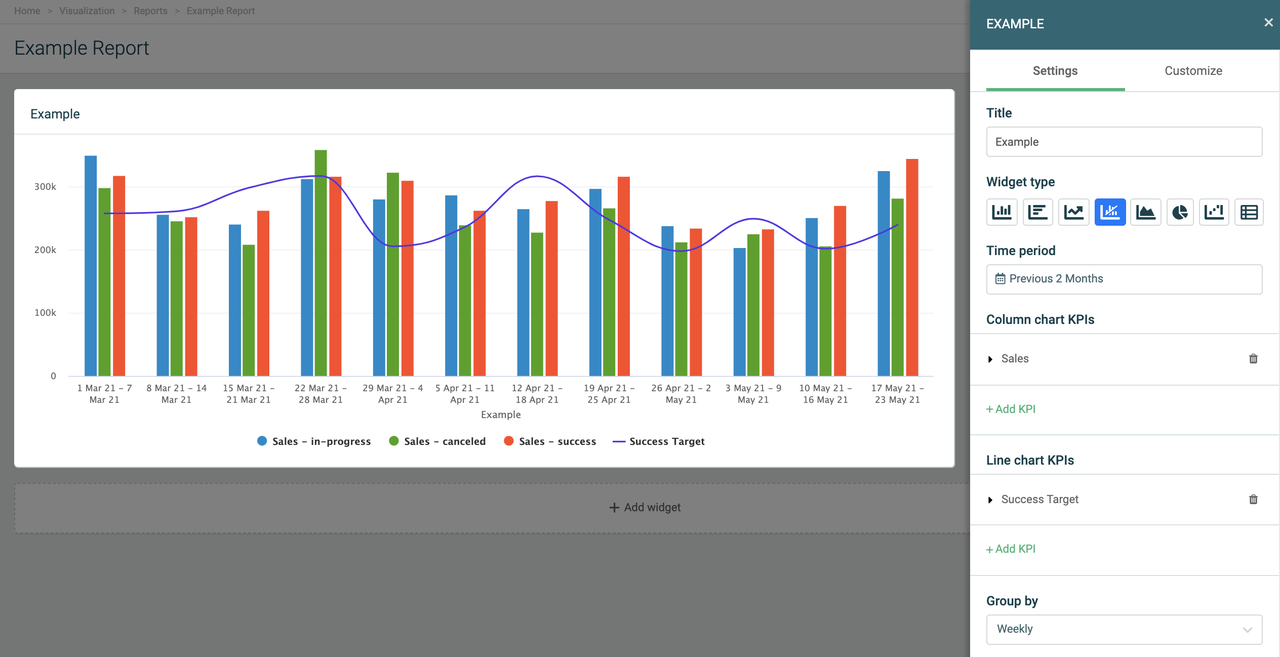
Plecto's new report charts support up to 20 KPIs, drill downs by specific metrics (e.g., data source fields, employees), trendlines, stacked column/area charts, and conditional colors.

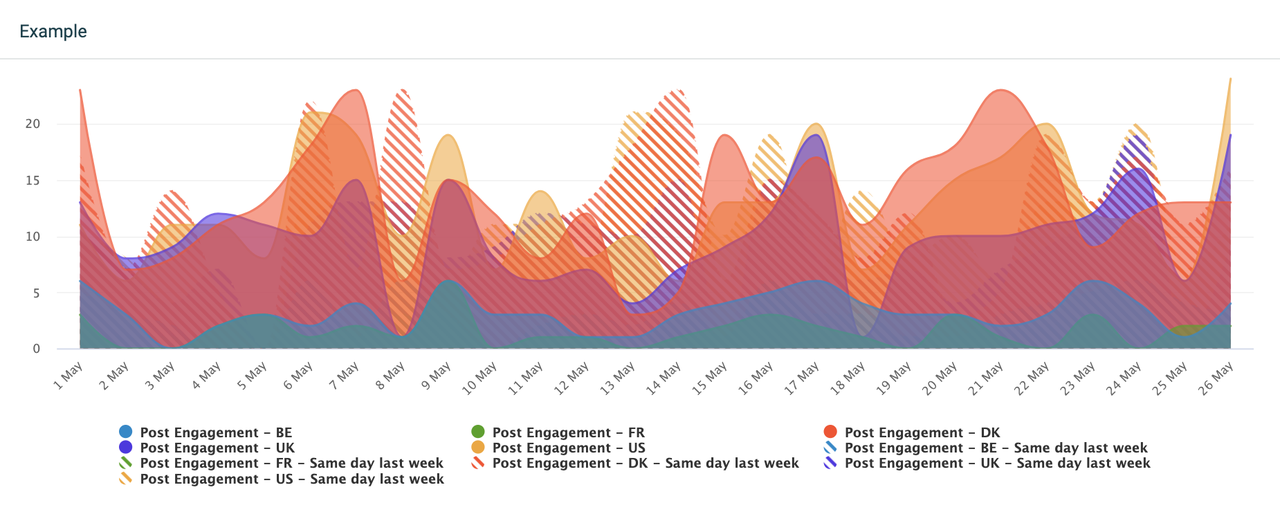
Plecto's flexible time reporting even makes it possible to compare metrics day-to-day!

Combo chart Example.png

Comprehensive customization options

All of Plecto's report graphs and chart types are fully customizable with an instant preview of your report for easy editing.

You can stack columns and bars, customize axis names, define label and legend locations, show trendlines, accumulate data over time, and more!

Real-time data, right when you need it.

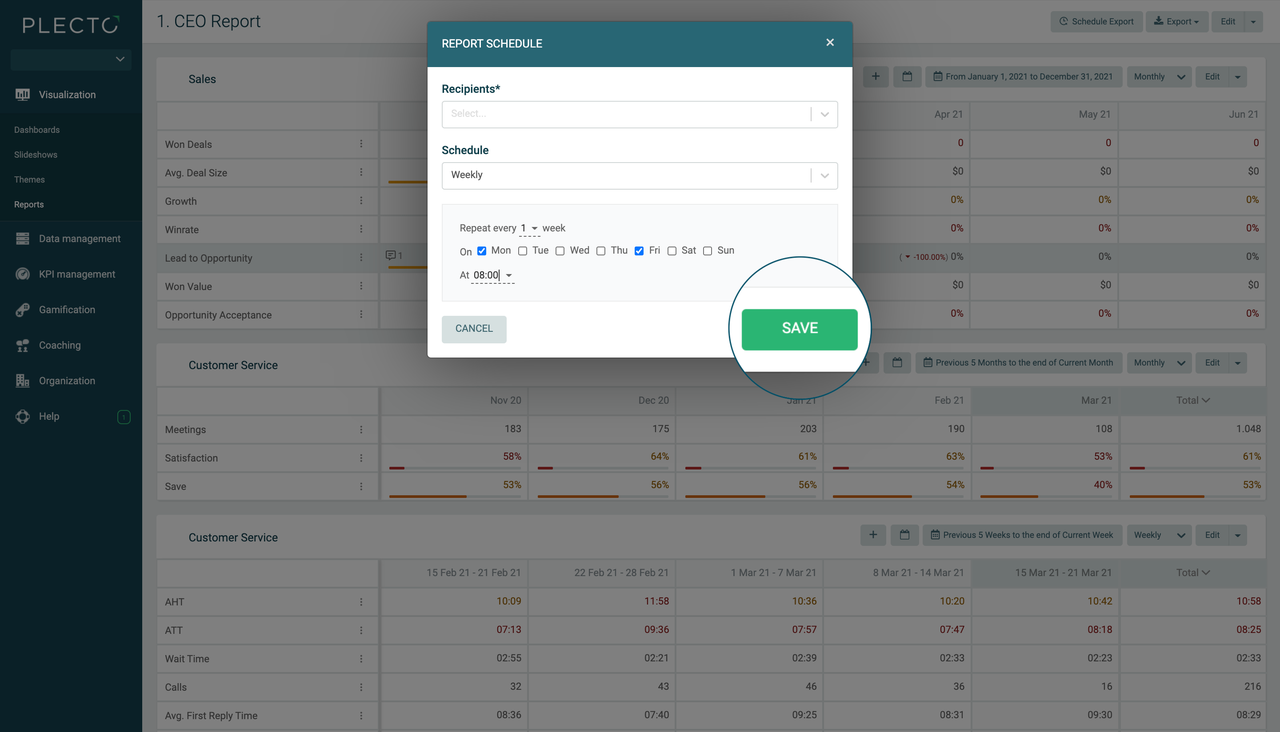
With automatic scheduling, Plecto can generate and email up-to-date reports as often as they're needed.

For real-time insights, you're also welcome to access your reports on-demand. Plecto refreshes your data automatically, so you always have the most current data.

Schedule Reports.png

3 easy steps to visual reports and actionable insights:

Choose your data.

Create reports based on the KPIs you're already displaying in your Plecto dashboards or import data from new sources to create brand new reports.

Choose a format.

Choose how your data is displayed. E.g. column chart, bar chart, line graph, combo graph, area chart, pie or donut chart, waterfall graph, or table.

Actionable insights, automatically.

Scheduled delivery feature lets you set the frequency for each report and they'll be emailed automatically, right when you need them.

Start visualizing your data, your way!

Get started in minutes.