 Sign in
Sales Account Manager Dashboard
Keep on top of your prospects and customers with real-time account manager dashboards.
Sales Account Manager Dashboard Example
How account manager dashboards improve your reps' performance
Account managers will likely have dozens of different customer accounts to juggle, meaning that it can be tough to keep track of the status of their customers. With an account manager dashboard, you can pull data from your CRM, as well as other systems that you are using to get all your key insights in one place. This optimizes your time, and gives you one single source of truth when it comes to your sales data.
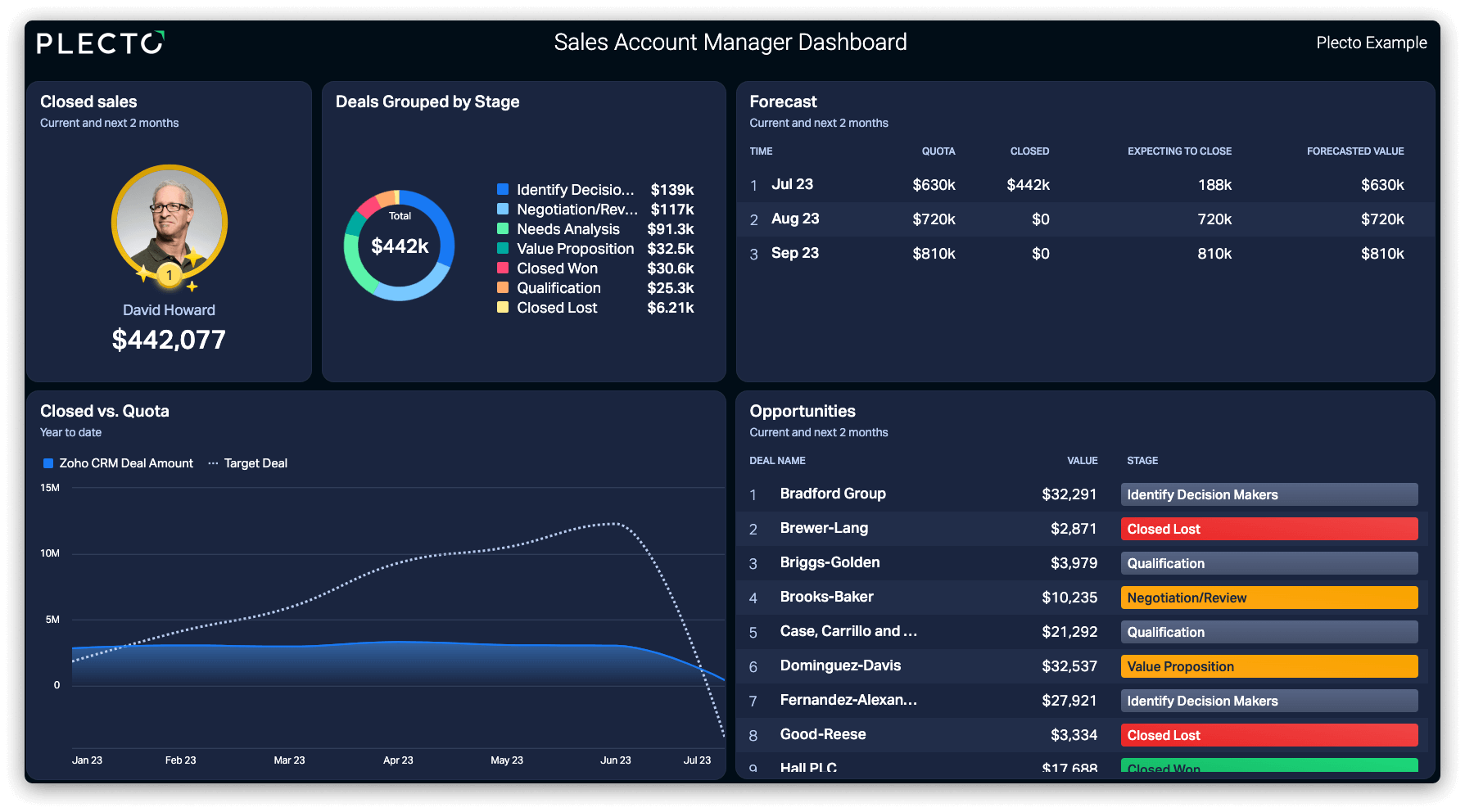
This dashboard enables you to do so much more than simply a data overview With a full overview of your pipeline, account managers can better identify which deals to focus on and which prospects to follow up with. Our example dashboard includes widgets for opportunity status, forecasting and deals grouped by stage, ensuring seamless identification of actionable prospects.
Similarly, with all of the KPIs and data in one place, the account manager's dashboard makes their daily activities a lot more straightforward. This simplicity results in boosted productivity and efficiency - giving more time for account managers to sell and build customer relationships.
KPIs to include on an Account Manager Dashboard
With this dashboard, it's ideal to keep it simple and focus on the metrics at the core of a rep's individual performance. Here are some examples that we have included in our dashboard example:
Closed Sales
Arguably the most crucial KPI for Sales Account Managers, this measures the value of deals that have been closed over a certain period of time.
Deals Grouped by Stage
Keeps track of the different stages of and calculates the value if all deals were to close.
Average Deal Size
Is bigger always better? It definitely is when it comes to this metric.
Closed vs Quota
A perfect fit for a line chart, this measures the an account manager's target vis-à-vis their targets.
Sales Forecast
This KPI outlines an account manager's pipeline, showing their quota, closed deals, expected deals, and the total.
Sales Cycle Length
This KPI measures the average time it takes to close a sales from the initial contact.
The responsibilities of an account manager can vary significantly. Mostly, an account manager is responsible for sustaining customer relationships beyond the buying process as well. If this aligns with your role, try checking out our Customer Retention Dashboard example.