 Sign in

Call Center SLA Dashboard
Call center SLA dashboard: track service level in real time
Plecto is call center SLA dashboard software. It pulls service level, calls waiting, wait time and abandon rate from your phone system and helpdesk, colors them against your targets, and shows them on TVs, desktops and mobile so the team can react before the SLA is missed.

What does a call center SLA dashboard show?
A call center SLA dashboard shows whether you are meeting the service level agreement you have promised, while the day is still running. The core number is service level: the share of calls answered within your target time.
Service level (%) = calls answered within X seconds ÷ calls offered × 100
A common target is 80/20, meaning 80% of calls answered within 20 seconds, but the right threshold depends on your customers and staffing. Next to it, a good SLA dashboard shows the numbers that explain it: calls waiting, longest wait, abandon rate, answered calls rate and which agents are available.
Read our guide to service level agreements in call centers
Track your call center SLA live from your phone system
Service level from the systems you already use
Plecto reads your phone system through an integration. The Talkdesk integration streams real-time metrics and shows service level, wait time, abandon rate and agent status. Dixa streams every 10 seconds, including queues and service levels, and the Ringover dashboard shows service level next to missed calls and waiting time.
Live queue numbers for Aircall and more
Aircall queue metrics, which are calls in queue, longest waiting time and employee status, refresh every 5 seconds. Puzzel and Zendesk Support stream live data too, while other phone systems import call data every few minutes. See streaming metrics for the full list.
Your own service level formula
If your phone system does not report service level the way your SLA defines it, build the number yourself in Plecto's formula editor: count the calls answered within your threshold and divide by all calls, the same count-and-divide pattern used for CSAT in our customer service KPI formulas. Which fields you can use depends on the data your phone system sends.

Get a signal when your call center SLA starts to slip
Colors that show it from across the floor
Add conditional colors to a service level or wait time KPI, so the widget is green when you are on target, yellow when you are close, and red when you are not. Agents and team leads see the status without reading a number.
Notifications when a KPI meets your condition
A notification can trigger when a formula result meets a condition you set. Pick the actions you want, such as a message on a slideshow, a Slack or Microsoft Teams message, or an email to the team lead. Notifications are on every plan, and you can also use them to celebrate a day when the whole team hits its target.
See how Plecto notifications workShow your call center SLA dashboard on a TV
Put the SLA dashboard in a slideshow and open it on any office TV, next to your leaderboards and other KPI dashboards. Each office TV is free to add. The same dashboards run on desktops and in the Plecto mobile apps for iOS and Android, so remote agents and team leads see the same service level as the floor.
Read the TV dashboards guide See how to activate slideshows on TVsCombine phone SLAs with helpdesk ticket targets
Many teams have SLAs on more than one channel: service level on calls, first response time on tickets. Plecto imports tickets and satisfaction ratings from helpdesks such as Zendesk Support and Freshdesk, so you can put first response time, resolution time, open tickets and CSAT on the same dashboard as your call KPIs. Zendesk Support tickets and ratings are imported every 2 minutes, and its streaming metrics, such as live agent status, refresh every 10 seconds.
See customer service dashboard examples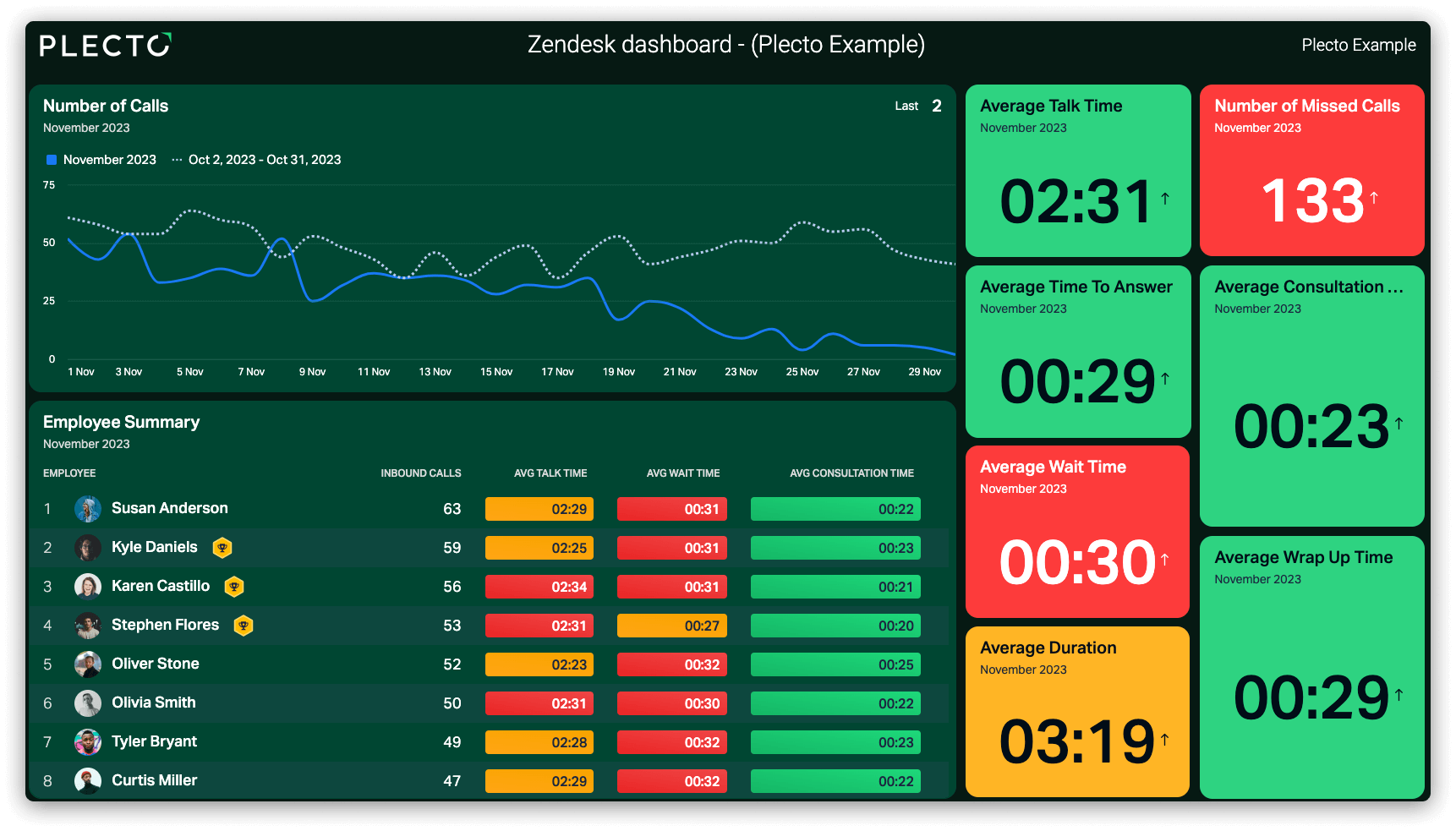

“Our response time has improved a lot since using Plecto. We went from around 5 or 6 minutes to approximately half a minute to 1.5 minutes now.”

Lennart Thomsen
System Responsible at REMA 1000
Which KPIs belong on a call center SLA dashboard?
Service level and abandon rate
Service level tells you how many callers you reached in time. Abandon rate tells you how many gave up first, and average call abandon time shows how long they waited before they did.
Calls waiting and longest wait
The number of waiting calls and the longest wait are the first numbers to move when the queue is understaffed, which makes them the early warning for a service level drop.
Answer rate and agent availability
The answered calls rate shows how many calls your team picks up, and a live agent status table shows who is available, busy or offline right now.
How to build a call center SLA dashboard in Plecto
- Connect your phone system. Go to Data sources > New data source and choose your phone system, for example Talkdesk, Aircall, Dixa or Ringover. Add your helpdesk too if you want ticket SLAs on the same screen.
- Create your SLA KPIs. Go to Formulas > New formula and build service level, abandon rate or average wait time. Add conditional colors so the target is visible.
- Build the dashboard. Add the KPIs to widgets: a speedometer or number box for service level, a table for agent status, and a leaderboard for the agents who answer the most calls.
- Set up a notification. Go to Notifications > New notification, choose a formula result as the condition and the action you want, such as a Slack message or an email.
- Show it on a TV. Add the dashboard to a slideshow under Slideshows and activate it on an office TV.
Plecto offers a 14-day free trial with no credit card required.
Call center gamification on top of your SLA dashboard
Make the target a game
Agents influence service level through availability and handling time. Call center gamification turns those KPIs into leaderboards, badges and instant recognition. Contests and the Reward Store are on the Large and Enterprise plans.
One platform for the whole contact center
Service level is one KPI of many. Plecto's contact center dashboards also cover handling time, CSAT and coaching, built on the same data.
Call center SLA dashboard FAQ
A call center SLA dashboard is a live view of the metrics that show whether you are meeting your service level agreement, mainly service level (calls answered within your target time, such as 80% within 20 seconds), calls waiting, longest wait and abandon rate. It lets supervisors and agents act while the day is still running instead of reading a report afterwards.
Service level is the number of calls answered within your threshold divided by the number of calls offered, times 100. For an 80/20 target, you count calls answered within 20 seconds. Tools differ on whether abandoned calls count as offered, so match the definition to your SLA. In Plecto you can build the formula yourself from your phone system's call data; see the customer service KPI formulas for the pattern.
Plecto has 150+ integrations, including Talkdesk, Aircall, Dixa, Ringover, Dialpad, CloudTalk, Puzzel and RingCentral. The Talkdesk, Dixa, Ringover and Puzzel integrations show service level, and Talkdesk, Aircall, Dixa, Puzzel and Zendesk Support stream live data. See all integrations.
It depends on the integration. Streaming integrations refresh live: Aircall queue metrics every 5 seconds and Dixa every 10 seconds. Most other data sources update automatically about every two minutes, and some phone systems import call logs every 5 minutes. For second-by-second queue control, your phone system's own wallboard can be more granular.
Yes. Conditional colors show on the dashboard when a KPI falls below your target, and a notification can trigger when a formula result meets a condition you set, with actions such as a message on a slideshow, a Slack or Microsoft Teams message or an email. Notifications are on every plan.
Yes, for the KPIs you can build from your ticket data. Plecto imports tickets and satisfaction ratings from helpdesks such as Zendesk Support and Freshdesk, so you can show first response time, resolution time, open tickets and CSAT next to service level. It builds these from the ticket data your helpdesk sends, so check that the fields your SLA uses are imported.
Plecto is not a phone system, an ACD or a workforce management tool. It is the dashboard, gamification and coaching layer on top of your phone system and helpdesk. To compare it with the dashboards built into Talkdesk, Aircall, Five9, Genesys Cloud and NICE CXone, see our guide to the best call center dashboard software.
Plecto is priced per license per month with a 10-license minimum. Medium is USD 30 and Large is USD 46.50 per license per month billed monthly, and billing yearly takes 20% off. Enterprise is custom. Every plan has unlimited dashboards, data sources and TVs, and there is a 14-day free trial with no credit card required. See pricing.