 Sign in
The Complete Guide to Building an Accounting Dashboard
Build an accounting dashboard that shows cash position live: the metrics worth tracking, how to connect bank and billing data, and what to automate.
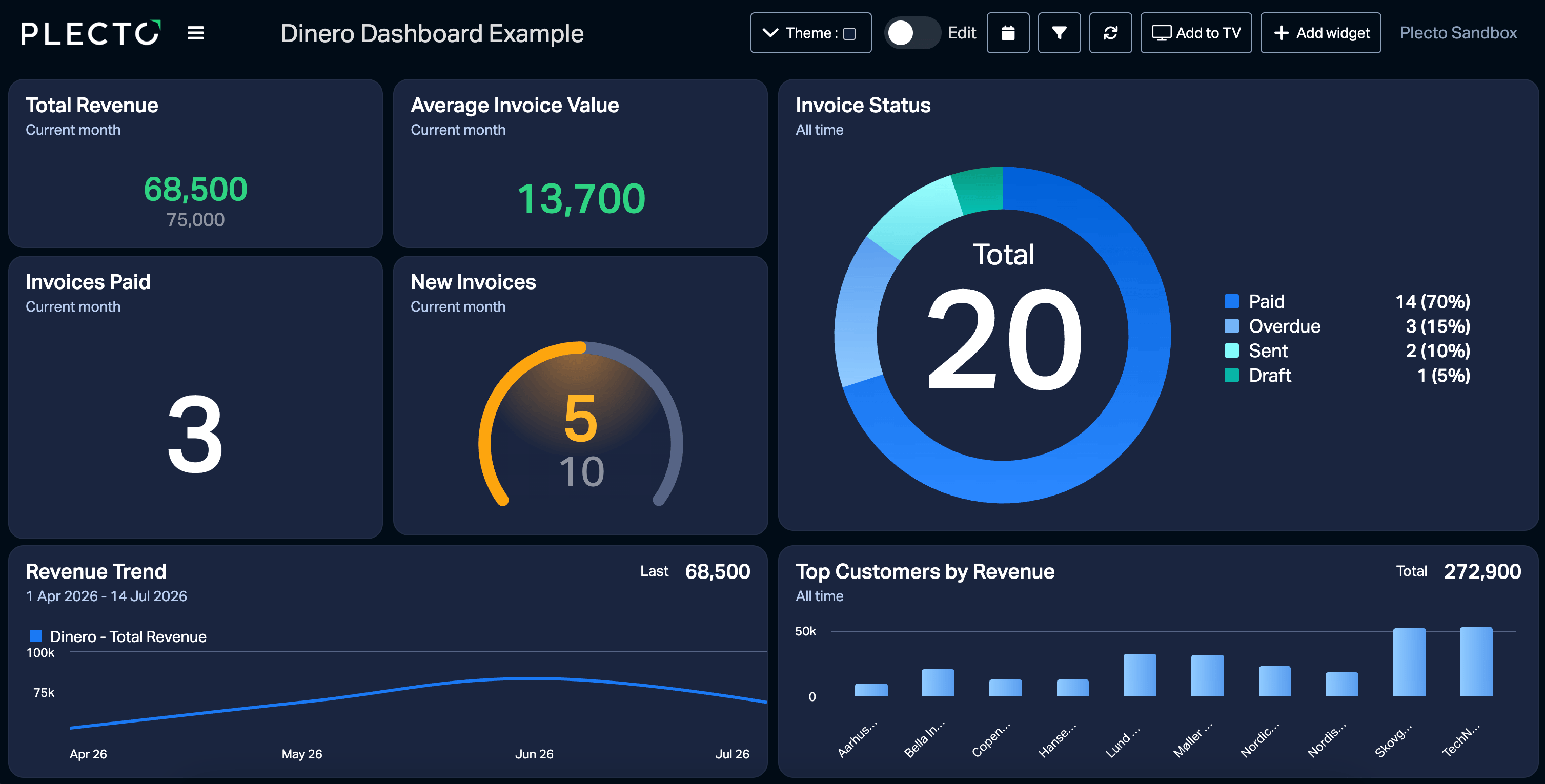
Finance teams lose hours pulling static reports when the same numbers could be on a screen already. An accounting dashboard connects raw financial data to visual metrics, so a cash flow gap shows up while there is still time to do something about it. The finance function has spent the last decade moving from recording what happened toward steering what happens next, and a live dashboard is the practical form that shift takes.
This guide covers which metrics to track, how to connect your data sources, and what to automate once the basics are running. If you want the general principles behind dashboard structure first, start with our guide to building a KPI dashboard.
Core metrics for a reliable accounting dashboard
Most finance teams start in the same place. Income and expenses, accounts receivable and payable, recent payments, and profit and loss give you a working snapshot of your cash position.
Tracking income and expenses in real time is what prevents a bottleneck rather than documenting one. Accounts receivable and payable show what you are owed against what you owe, which is the number that decides whether next month is comfortable. Profit and loss gives the bottom line. Together they answer the question most finance meetings open with.
The limitation is that all four are lagging indicators. They describe money that has already moved.
Metrics that look forward
Advanced finance teams add predictive and security-focused numbers on top.
Benford checks flag unusual expenses. Benford's Law describes how often each digit appears first in naturally occurring datasets, and invented numbers tend to fail the test. A dashboard running Benford checks across expense claims surfaces the handful worth a manual look, instead of asking someone to spot them by eye.
Late-payment probability scoring identifies which clients are likely to miss an invoice deadline before they miss it. That turns collections from a monthly chase into a short, targeted list.
Neither replaces your controls. Both move the finance team from reporting what happened toward managing what is about to.
Connecting your data sources
A dashboard is only as accurate as its feeds, and manual entry introduces both delay and error. A live view needs direct connections to your bank, CRM, and billing software.
Bank reconciliation depends on format support. MT940 is the standard format for electronic bank account statements; camt.053 is its XML-based bank-to-customer successor. Dashboard software that parses these field by field can match transaction references to open invoices automatically. Software that cannot will have your team matching bank feeds to invoices by hand, which is the job you were trying to remove. Check this before you commit to a tool.
Company structure matters too. Most dashboard templates assume a single legal entity. If you run subsidiaries across regions and currencies, confirm your tooling consolidates multiple entities without a spreadsheet export in the middle.
Plecto supports 150+ integrations across departments, and data can also arrive by API, SQL, Excel upload, or manual entry. Time-tracking data from Harvest can sit next to billing data in the same view. The data sources and integrations documentation covers the connection options in order.
Connecting your accounting software
The accounting system you already run is the main feed. Plecto connects to the common ones directly:
- Xero and QuickBooks for small and medium businesses
- NetSuite for enterprise resource planning
- Dinero and e-conomic in the Nordic market
- Stripe for payment and subscription revenue
Regional coverage is worth checking early. A platform that handles your ERP but not your local accounting package leaves you with a data silo exactly where the numbers matter most.
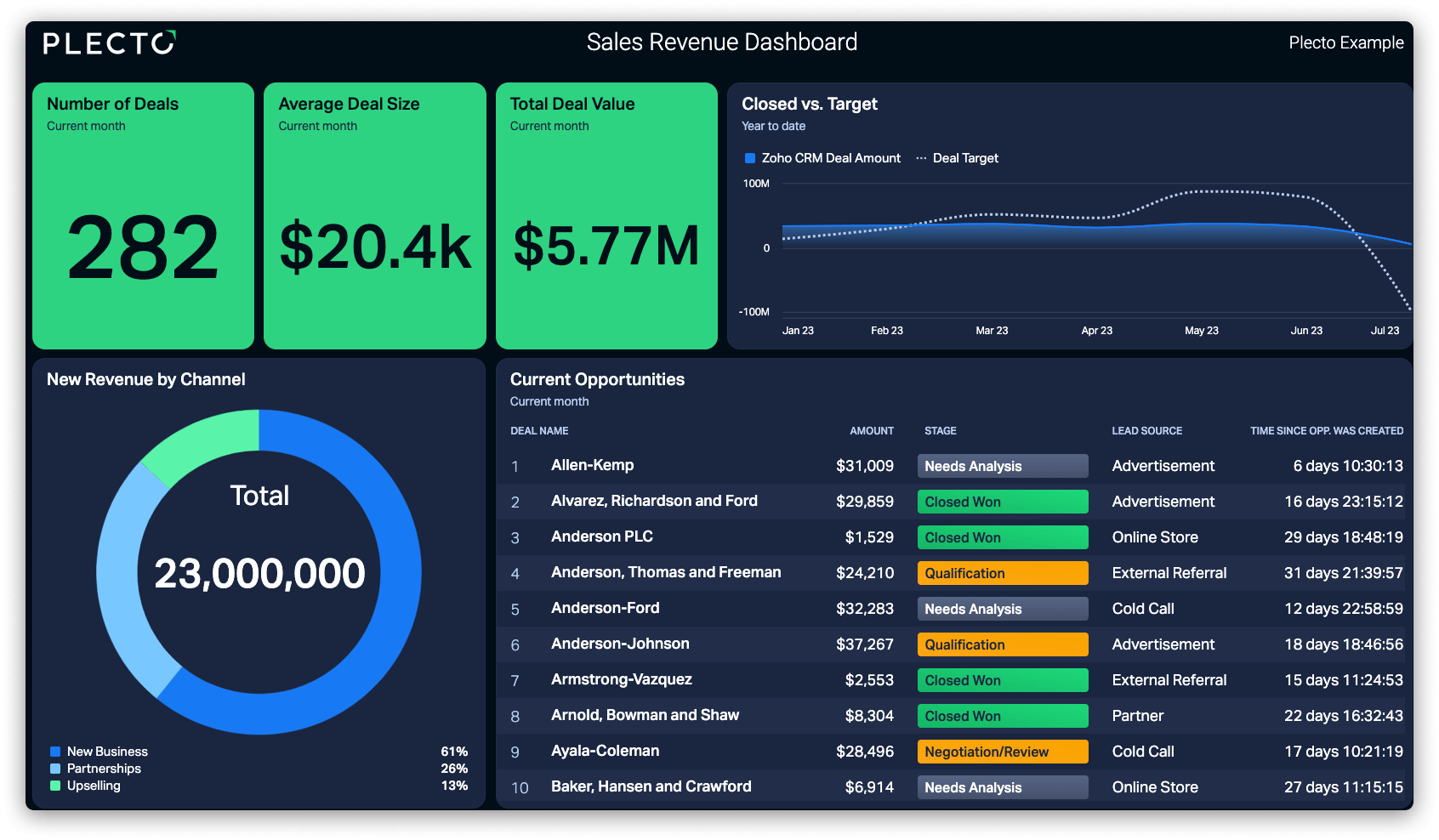
What a dedicated accounting tool will not do is put financial data next to operational data. Building custom formulas that combine sales targets with booked revenue gives management one view of whether the commercial activity and the money agree, which is a different question from either one alone.
How AI changes the work
Artificial intelligence is displacing the manual data manipulation that used to fill the week. The gap tends to open between firms that train their people on the tooling and firms that simply buy it, because the time saved comes from knowing which tasks to hand over.
The useful applications are specific rather than general. Plain-language queries replace building a report to answer one question. Automated compliance checks run before submission rather than after a correction.
In Plecto, the AI Formula Assistant builds complex metrics from a description instead of hand-written syntax, and MCP support lets you assemble a dashboard in conversation with Claude or ChatGPT.
Setting up your organization and teams
Structure the account before you build. Organization settings match the workspace to your company hierarchy, and teams and employees group people into departments.
This is what keeps sensitive financial data visible only to the managers who need it while high-level revenue goals stay on the sales floor screen. Permission profiles handle the split, and getting it right at setup is considerably easier than retrofitting it after someone sees a payroll figure.
Displaying and sharing financial data
Financial data locked in a manager's inbox does not change behavior. Live metrics on a screen keep the whole company working against the same revenue goals and budget limits.
Slideshows broadcast the dashboard to office screens through the LG and Samsung TV apps, so finance and sales read the same numbers at the same moment. For board meetings you need static files instead: reports export to PowerPoint and Excel on a schedule, landing in your inbox every Monday morning without anyone assembling them.
For people who are not at a desk, the mobile app is free on iOS and Android, which means checking the cash position in the corridor before a client meeting rather than after it.
Turning financial targets into motivation
An accounting dashboard can drive revenue as well as record it.
Gamification features — coins, a reward store, contests, and achievements — attach to financial targets directly. A deal that takes the team past the monthly revenue target can trigger a notification on the office TV, and employees earn coins for hitting targets that they spend in a reward store you define. The notifications and gamification guide covers the setup.
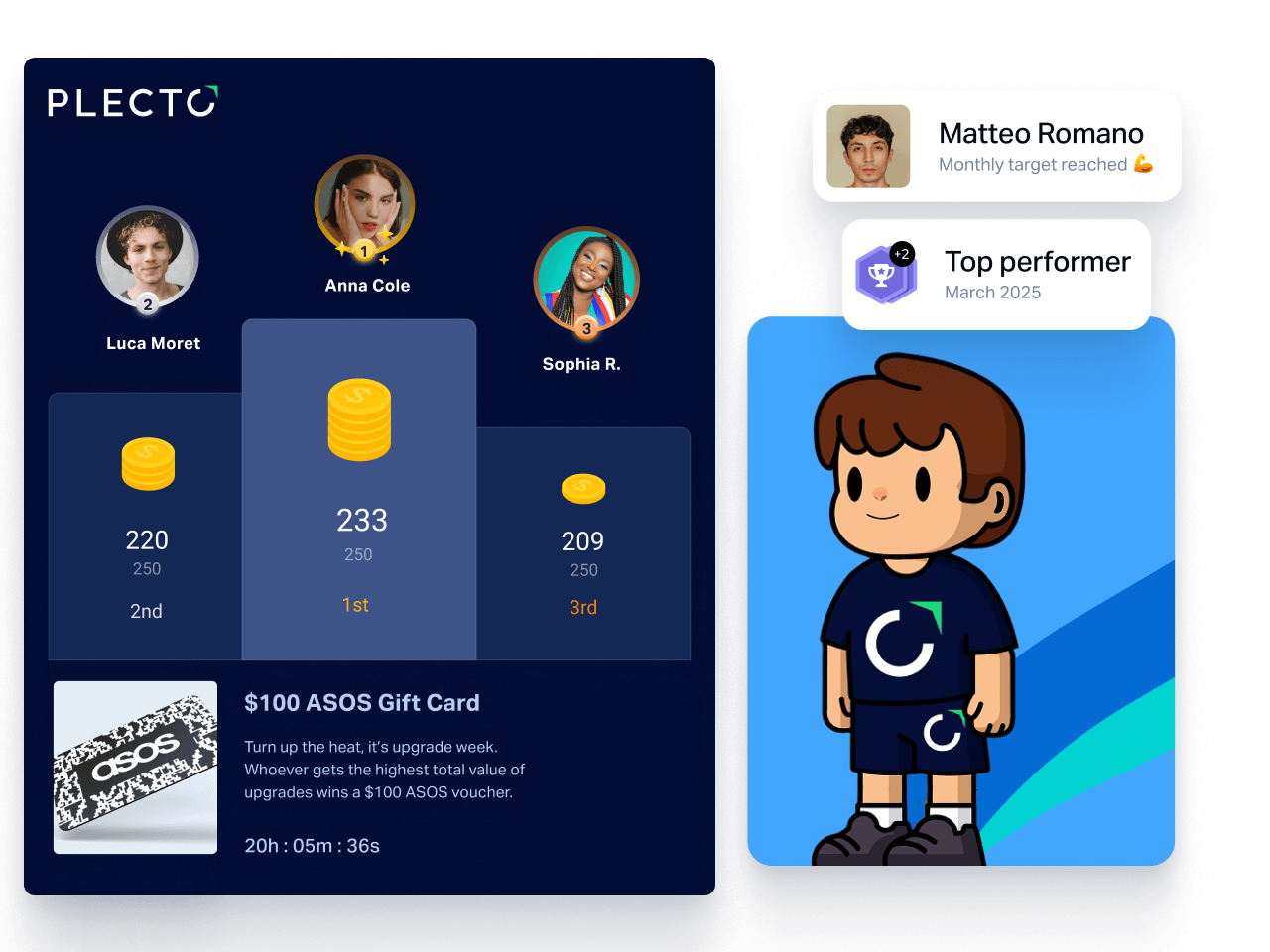
Managers can run structured feedback off the same data. Performance agreements, one-on-ones, and quizzes in the coaching tools let you review someone's financial targets inside their coaching profile instead of reconstructing the quarter from memory.
Ageras works this way. The digital accounting firm, which provides banking and bookkeeping software to small businesses across Europe and the US, unified six Nordic sales locations on Plecto dashboards connected to Pipedrive, pairing the data with gamification and sales coaching.
Start building your accounting dashboard
Static spreadsheets hide risk and slow decisions. A live accounting dashboard connects raw data to clear metrics, so you can watch cash flow, catch unusual expenses, and keep the team pointed at the same revenue goals. Connect the bank feed, the CRM, and the billing software, and you have one source of truth for the company's financial health.
Start your 14-day free trial and build the first version this week.
Questions
Accounting dashboard FAQs
Yes. Plecto integrates with 150+ systems across departments, including accounting platforms, CRMs, support tools, and spreadsheets. Data from Salesforce, Zendesk, and Google Sheets can sit in a single view alongside your accounting feed.
Yes, 14 days, so you can connect the integrations and build a first dashboard before committing. You can sign up and start building immediately.
Use the built-in slideshow feature with the LG or Samsung TV apps. The screens update in real time as the underlying data changes. The slideshows documentation covers setup.
The troubleshooting documentation covers data sync problems, and there are separate guides for API data sources and formulas.
Start your 14-day free Plecto trial today.
Enjoyed the article? Share it:


