 Sign in
How to Build a KPI Dashboard That Drives Real Business Results
Build a KPI dashboard people actually use: pick five or six core metrics, structure views by role, connect live data, and use RAG targets to drive action.
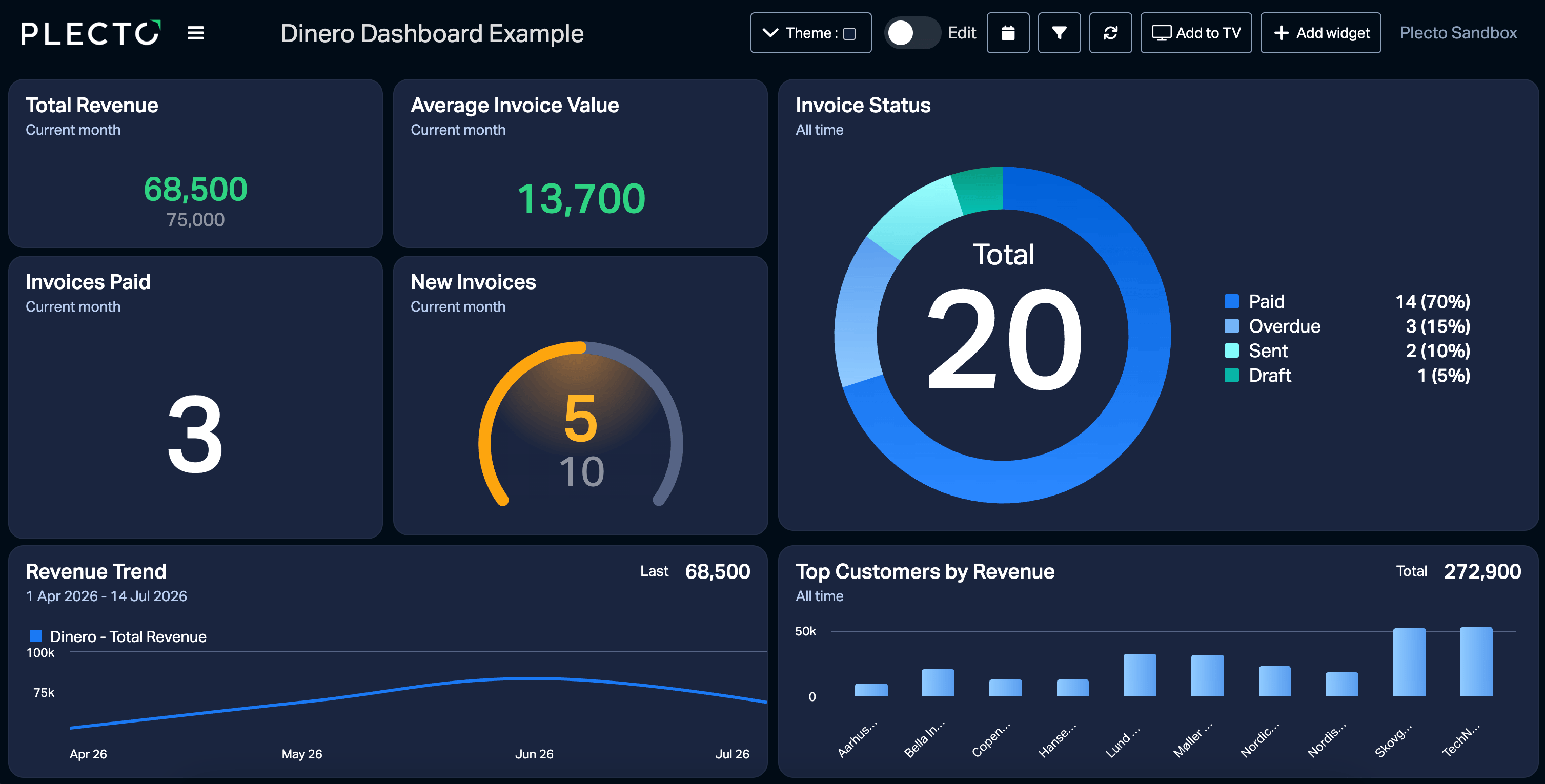
Every pixel on a dashboard gets designed, yet screens often end up cluttered with every possible metric while the numbers that actually drive decisions are ignored. One study found that when usability and user needs were overlooked, only 28% of intended users accessed a dashboard even once. A well-structured KPI dashboard solves this problem by turning raw data into clear, actionable insights.
Many companies struggle to move beyond basic spreadsheets. They spend hours manually updating reports for weekly meetings. By the time the team reviews the numbers, the data is already outdated. Real-time visualization changes how a business operates. When you display live metrics on office screens or mobile devices, employees can adjust their daily activities based on actual performance rather than guessing their progress.
To get started, you need to understand how to select the right metrics, connect your data sources, and choose the right visualization methods. You can learn more about setting up your first workspace in the getting started documentation.
Selecting the right metrics for your business model
Most dashboard projects fail because teams skip the planning phase. They connect their software and drag every available widget onto the screen. This creates noise. Before you build a KPI dashboard, you must define what success looks like for your specific business model.
A common mistake is confusing an activity log with a key performance indicator. For example, tracking the number of customer research studies run is an activity metric. If you cannot connect that research to decisions made, money saved, or churn prevented, the metric does not help you steer the business. You need to measure operations, program execution, and actual business impact.
Start by identifying your primary business goal. If you run a SaaS company, your primary goal might be reducing customer churn. The metrics on your dashboard should directly relate to that goal. You might track support ticket response times, product usage frequency, and account upgrade rates. If you run a retail franchise, you might focus on foot traffic, average transaction value, and inventory turnover.
Limit your primary view to five or six core metrics. If you need to track more data points, create secondary views for specific departments. This keeps the main screen focused and prevents information overload.
Structuring your KPI dashboard by stakeholder roles
Different people in your organization need different information. A single view rarely works for everyone. The most effective setups categorize usage into distinct roles.
Chief Executive Officers and founders need a high-level overview. They look at burn rate, cash runway, and north-star metrics. They do not need to see individual sales calls. Their view should answer one question: is the company moving in the right direction? An executive dashboard built around one objective and a handful of key results answers it at a glance.
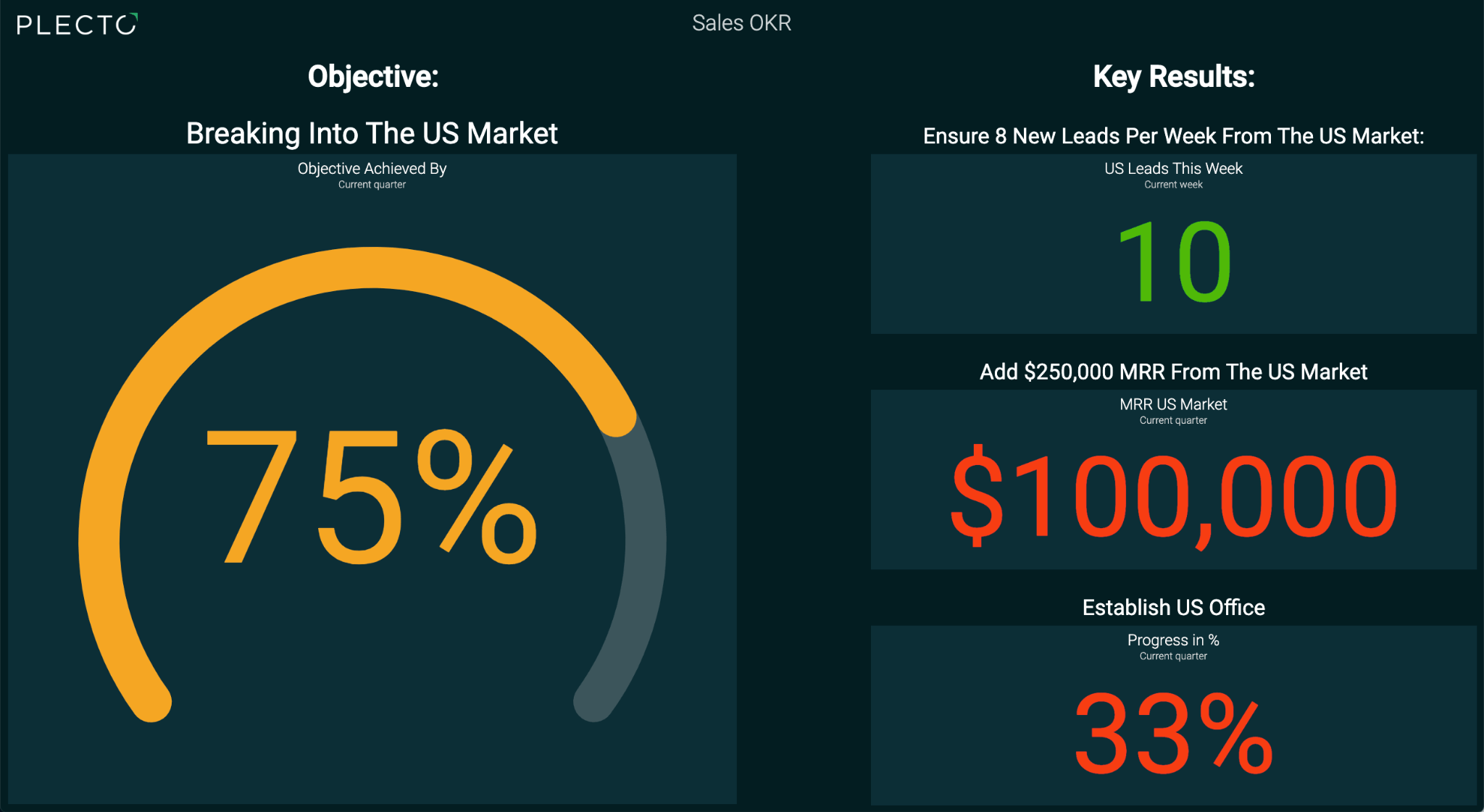
Vice Presidents and directors focus on cross-functional dependencies. They need to see how marketing pipeline generation impacts sales closing rates. They look for trends over weeks and months to allocate budgets and resources effectively.
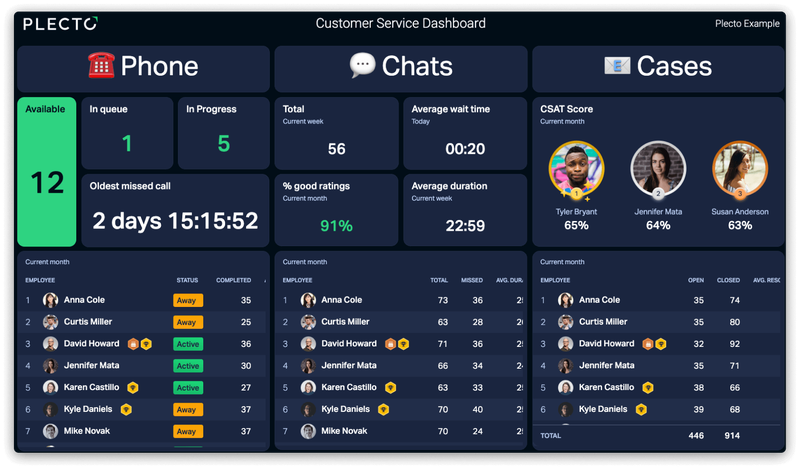
Department heads and frontline managers care about process bottlenecks. A customer support manager needs to see real-time ticket volumes, average handling times, and individual agent performance. They use this data to make immediate adjustments during the workday. You can manage these group views by configuring your teams and employees settings.
Board members and investors look at capital efficiency. They want to see customer acquisition cost, lifetime value, and gross margin. They review these numbers monthly or quarterly to evaluate the overall health of their investment.
Connecting your data sources and integrations
A dashboard is only as good as the data feeding it. Manual data entry leads to errors and delays. You need to connect your visualization tool directly to the systems your team uses every day.
Financial data often lives in multiple places. You might use Stripe to process payments and QuickBooks or NetSuite for enterprise resource planning. Pulling this revenue data into your visualization tool gives you an accurate picture of your cash flow. In the Nordic market, companies frequently rely on local accounting software like Dinero or e-conomic. Ensuring your platform supports these regional tools prevents data silos.
Plecto integrates with 150+ business systems across different departments. You can connect customer relationship management platforms like Salesforce and Pipedrive, support tools like Zendesk and Dixa, and communication apps like Slack and Microsoft Teams. You can explore the full list of supported connections in the data sources and integrations guide.
When native integrations are not available, you can use API connections, SQL databases, or automated Excel uploads. The goal is to create a single source of truth where all your operational data lives in one place.
Visualizing data with RAG targets and correlation
Once your data is connected, you need to present it clearly. Raw numbers on a screen do not tell a story. You need visual cues to help your team understand performance at a glance.
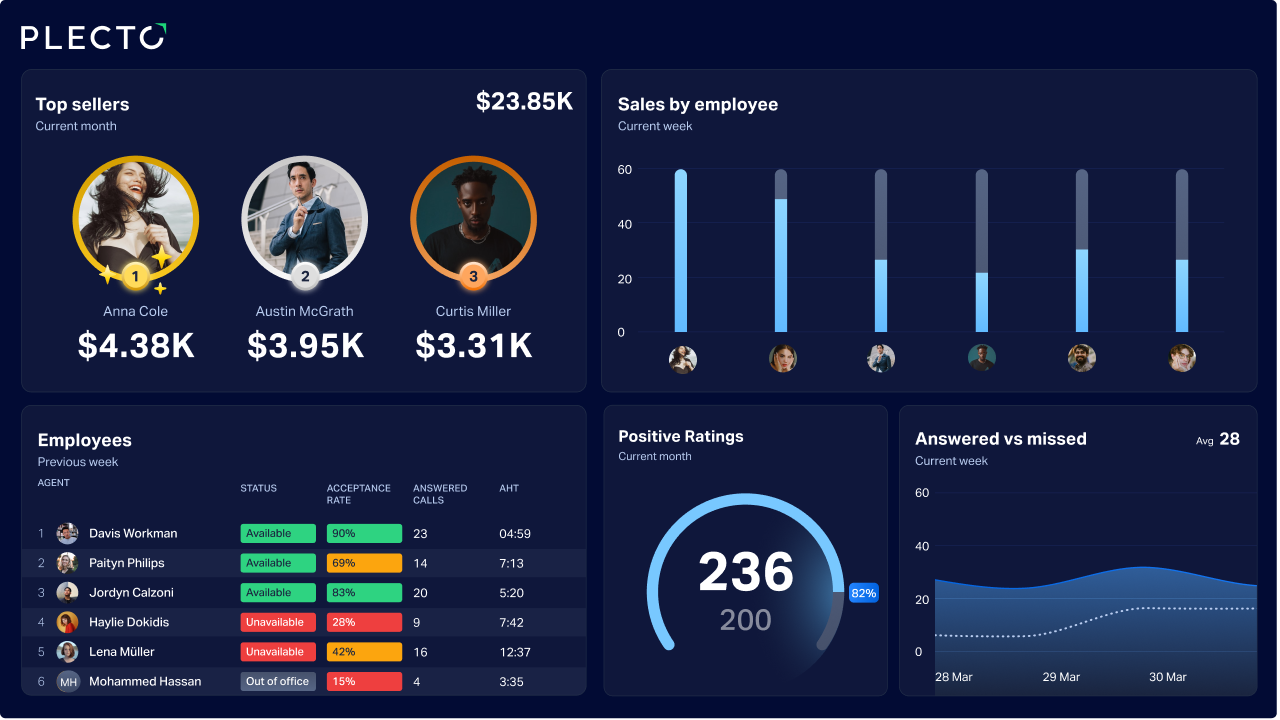
RAG targets are a standard best practice for visual health indicators. RAG stands for Red, Amber, and Green. You set specific thresholds for each metric. If a sales rep hits their daily call target, their metric turns green. If they are slightly behind, it turns amber. If they are falling significantly short, it turns red. This color coding allows anyone walking past an office TV screen to instantly assess team performance. In Plecto, you set these thresholds with conditional colors.
Advanced visualization tools also help you spot relationships between different metrics. Some platforms auto-normalize different scales (like 0 to 100 percent) so you can overlay metrics from different tools on a single chart. For example, you can plot Stripe revenue against Google Search Console traffic. This helps you identify Pearson correlations, showing you mathematically if two metrics move together over time.
You can display these visualizations across your office using slideshows for TV displays. Plecto supports live broadcasting on LG TVs, Samsung TVs, and Chromecast devices, keeping the data visible to everyone.
Using AI and formulas to interpret data
Basic metrics are helpful, but sometimes you need to calculate custom figures based on multiple data sources. This is where advanced formulas come in.
Writing complex formulas can be difficult for users without a data science background. Modern platforms solve this by incorporating artificial intelligence. Instead of writing SQL queries manually, you can use natural language prompts. You can ask the system to calculate the conversion rate between marketing leads in HubSpot and closed deals in Salesforce.
Plecto includes an AI Formula Assistant that helps you build these custom calculations quickly. You can also use natural conversation to build your dashboard layouts through Model Context Protocol (MCP) integrations. This means you can connect tools like Claude or ChatGPT directly to your workspace. You can read more about this capability in the MCP integration documentation.
When you master these advanced formulas, you can create highly specific metrics that reflect your unique business processes.
Comparing dashboard software options
The market offers many different tools for data visualization. Choosing the right one depends on your technical expertise, budget, and specific feature requirements.
Tableau is a major enterprise business intelligence tool. It offers deep data science capabilities and complex modeling. However, it requires significant technical knowledge to set up and maintain. It is often too complex for sales or support teams who just need clear, real-time performance tracking. See how the two compare in Plecto vs Tableau.
Geckoboard is a popular option in the visualization space. It focuses on simple, clean designs for TV displays. It works well for basic metric tracking but lacks some of the deeper employee engagement features found in other platforms. See Plecto vs Geckoboard for a side-by-side view.
Pricing models vary significantly across the industry. KPIpie offers a free startup plan and a $49 per month pro plan that limits you to five users and ten dashboards. SimpleKPI takes a different approach, offering one flat price for unlimited users, dashboards, and metrics.
Plecto differentiates itself by combining real-time data visualization with employee motivation tools. Beyond standard charts, it includes gamification features like automated notifications, real-time contests, achievement badges, and a reward store. You can learn how to set these up in the gamification settings guide.
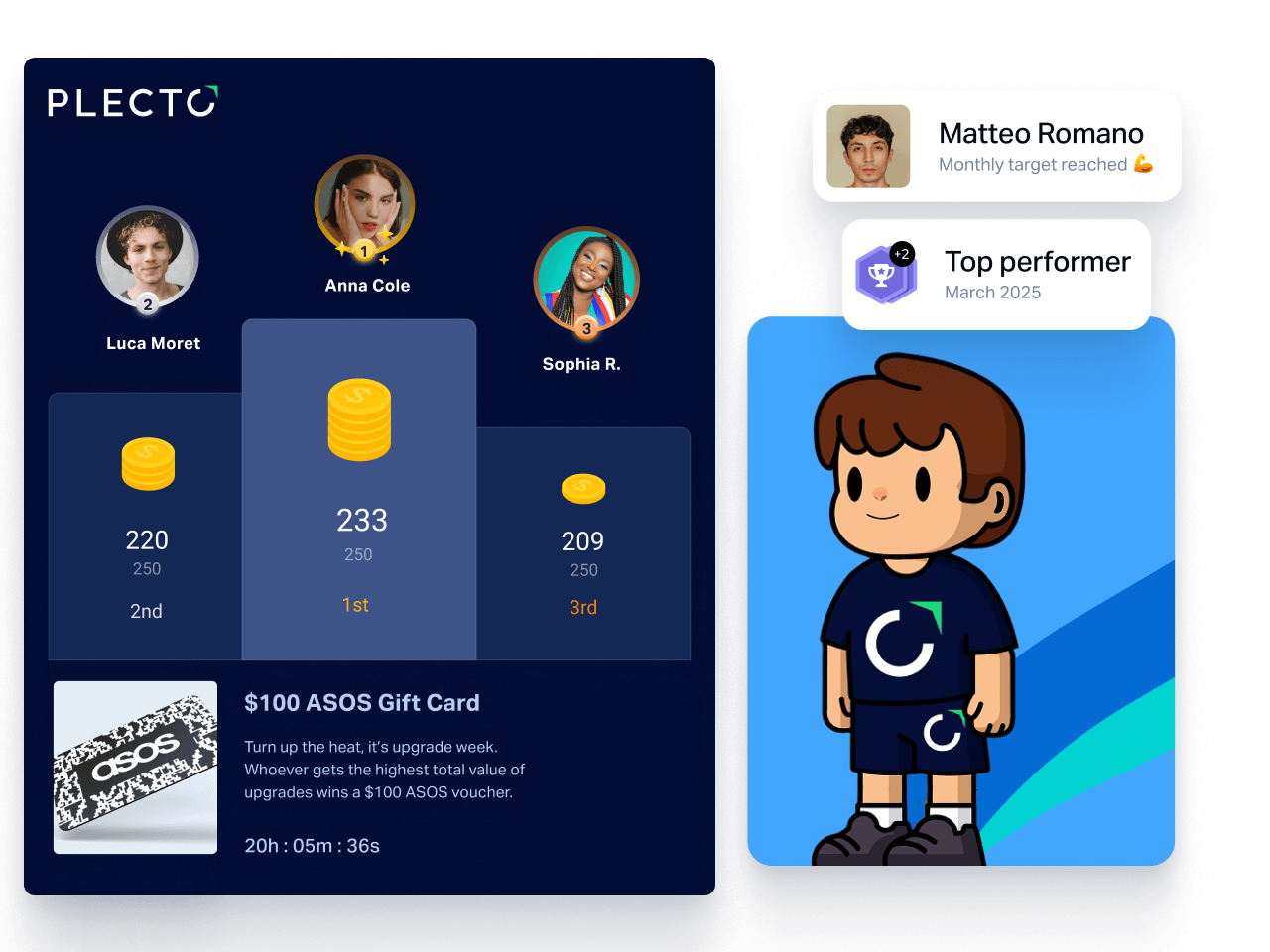
Plecto also provides structured management features, including performance agreements and one-on-one meeting templates, which you can explore in the coaching tools documentation.
Turning numbers into an action plan
Building an effective KPI dashboard requires careful planning, the right metrics, and reliable data connections. By structuring your views for specific roles and using visual indicators like RAG targets, you can turn raw numbers into a clear action plan. When you combine real-time visibility with gamification and coaching tools, you give your team the information they need to improve performance every day.
See how Plecto turns your data into a KPI dashboard your team actually uses.
Questions
KPI dashboard FAQs
A dashboard provides a real-time, visual overview of your current performance. You use it daily to monitor operations and make immediate adjustments. A report is a static document that analyzes historical data over a specific period. You use reports for weekly or monthly meetings to review past performance. Plecto handles both, allowing you to view live data and export automated summaries via the dashboards and reports features.
For operational teams like sales and customer support, data should update in real time. If a support agent resolves a ticket, that action should reflect on the screen immediately. Real-time updates drive motivation and allow managers to spot issues before they escalate. Financial metrics reviewed by the board may only need daily or weekly updates.
Yes. Most modern platforms offer mobile access. Plecto provides free applications for iOS and Android devices. This allows field sales representatives and traveling executives to check performance metrics from anywhere. You can find installation instructions in the mobile app guide.
Security is critical when handling business data. You should use role-based access control to ensure employees only see the data relevant to their jobs. You can restrict sensitive financial information to the executive team while making general sales targets public. You can configure this with permission profiles in Plecto.
Start your 14-day free Plecto trial today.
Enjoyed the article? Share it:


