 Sign in
The Complete Guide to Dashboard Meaning: From Carriage Splash-Boards to Business Intelligence
The dashboard meaning shifted from a mud shield on a carriage to a screen that keeps data overload off the driver. Here is how it happened, and what it means.
The word first appears in 1846, describing a board or leather apron on the front of a horse-drawn carriage that stopped mud being dashed up by the horse's hooves. The dashboard meaning today is a digital interface that protects business users from a different kind of splatter: raw data arriving faster than anyone can read it. The job is the same one it always was. Keep what matters in view, and keep the mess off the driver.
Early software borrowed the automotive metaphor because the function carried over cleanly. A driver needs immediate feedback on speed and fuel without opening the engine. A business leader needs immediate feedback on sales and operations without opening a database table. Tracing how one became the other explains why a screen full of gauges is still the most effective way to monitor a company.
The original dashboard meaning: a shield against mud
The first dashboards had nothing to do with data. A board of wood or stretched leather sat at the front of the carriage, between the horse and the driver. On unpaved streets a galloping horse threw water, dirt and mud backwards, and the board dashed it away — "dash" having meant splash since the late 1600s. A dashboard was a splash-board.
When the first automobiles arrived, manufacturers kept the word. The Oldsmobile Curved Dash, widely recognized as the first mass-produced automobile, carried a prominent sleigh-like board at the front. There was no horse left to throw mud, but the board stayed, and the space behind it turned out to be the obvious place to mount instruments. By 1904 the word had taken its modern sense: the panel under the windscreen carrying the gauges.
That is the whole conceptual leap, and it took under sixty years. A barrier became a display, because the place you put a barrier is exactly where the driver is already looking.
Car dashboards settled into a standard set: speedometer, tachometer, odometer, coolant temperature, fuel. Each one turns a complex mechanical process into a single visual indicator. The engine overheats and a needle swings into red. You do not need to understand thermodynamics to pull over. That translation — complex mechanics into an instant visual alert — is what the first business monitoring tools set out to copy.
The digital dashboard meaning: a shield against data
The move from hardware to software started in the 1980s with Executive Information Systems, which promised corporate leaders a top-down view of company performance. The ambition outran the technology. Data entry was largely manual, databases were slow, and screens routinely showed figures that were already stale. The idea went quiet.
It came back in the 1990s, when Online Analytical Processing and data warehousing finally made fast retrieval practical. In the same period Robert S. Kaplan and David P. Norton introduced the balanced scorecard, which pushed companies to track performance across four perspectives: financial, customer, internal processes, and learning and growth. The scorecard established that executives needed one unified visual summary of varied metrics, and software vendors reached for the dashboard metaphor to describe the interfaces built to show them. We cover the scorecard alongside the other goal-setting frameworks in our guide to KPIs.
The protective function survived the move. A carriage dashboard kept mud off the driver; a digital one keeps raw data off the manager, organizing it so trends and exceptions surface without anyone reading through spreadsheet rows to find them.
Why dashboards work: preattentive processing
The reason a good dashboard feels faster than a table is not aesthetic. It is a cognitive psychology effect called preattentive processing — the brain's subconscious intake of certain visual properties, including color, size, spatial position and movement, in under 250 milliseconds. That happens before conscious attention engages at all.
A table of numbers gets none of this. It forces sequential reading, holding values in short-term memory, and conscious comparison. The load slows decisions and tires people out. A visual interface skips the queue: when a target bar turns red, the problem registers before the number is read.
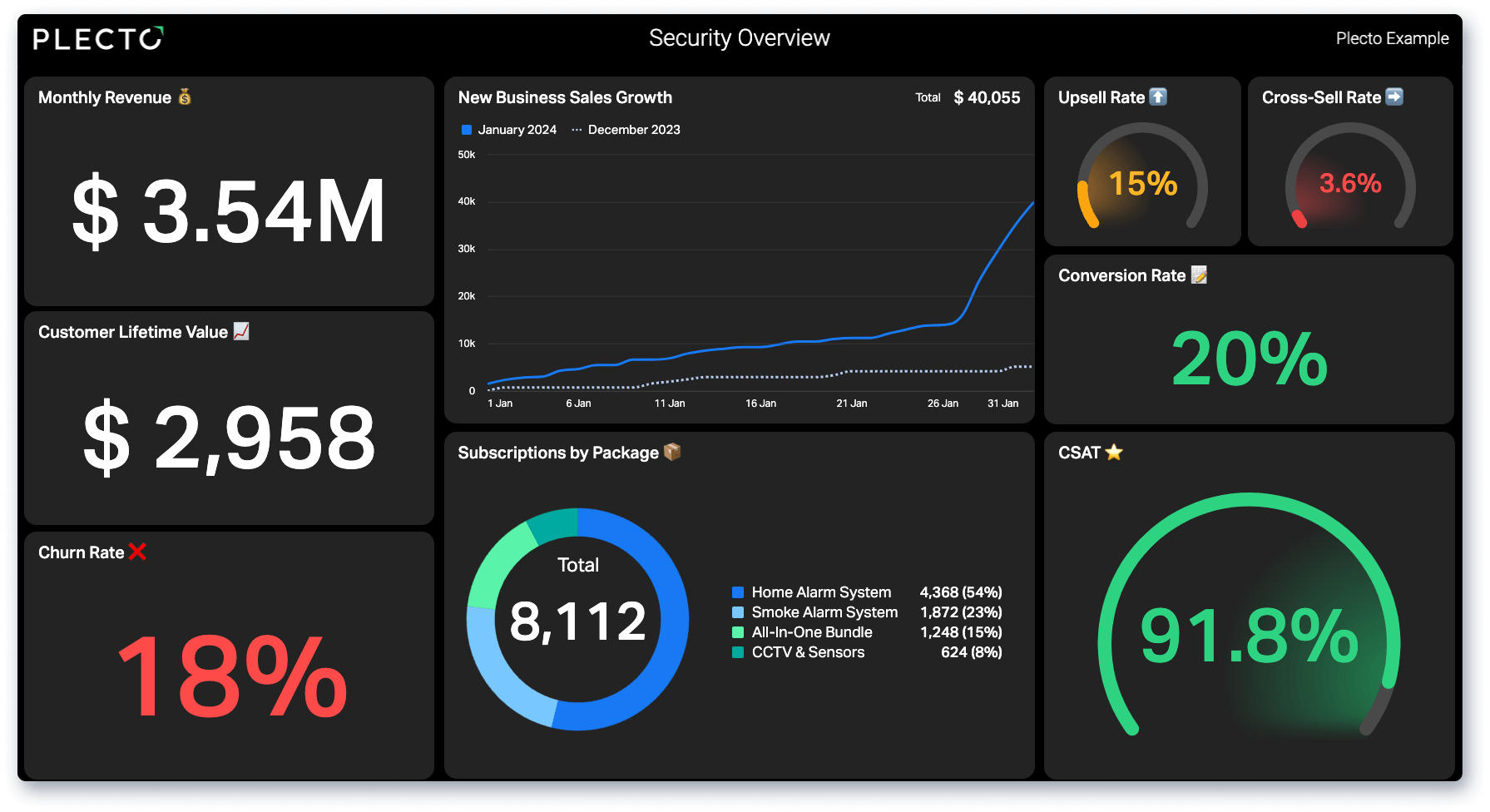
The hero image at the top of this article makes the point. Churn at 18 percent in red and satisfaction at 91.8 percent in green communicate the state of the business before you have read either figure. Minimize text, maximize spatial organization, and users compare indicators and reach conclusions at a speed no report can match. In Plecto, conditional colors are what put a metric into red, amber or green against the threshold you set.
Dashboard vs. report: a real distinction
The two terms get used interchangeably, and they should not be. They differ in depth, time horizon, and what the user is meant to do.
A dashboard fits on one screen and updates frequently. Its purpose is monitoring and immediate awareness. It answers broad questions quickly, and flags a metric the moment it crosses a threshold.
A report is a deep-dive historical view. Multiple pages of detailed tables, written explanation, complex charts, produced on a schedule and built for analysis rather than monitoring. Tools across the category, Tableau among them, draw the line the same way — see Plecto vs Tableau for how the two approaches compare in practice.
Most companies need both. A live screen on the sales floor tracks daily call volume, while scheduled reports export a detailed PowerPoint for the monthly board meeting. Matching the format to the time horizon is most of the skill.
The two main types of business dashboard
Information architecture generally splits these interfaces in two, by time sensitivity and intended use.
Operational dashboards
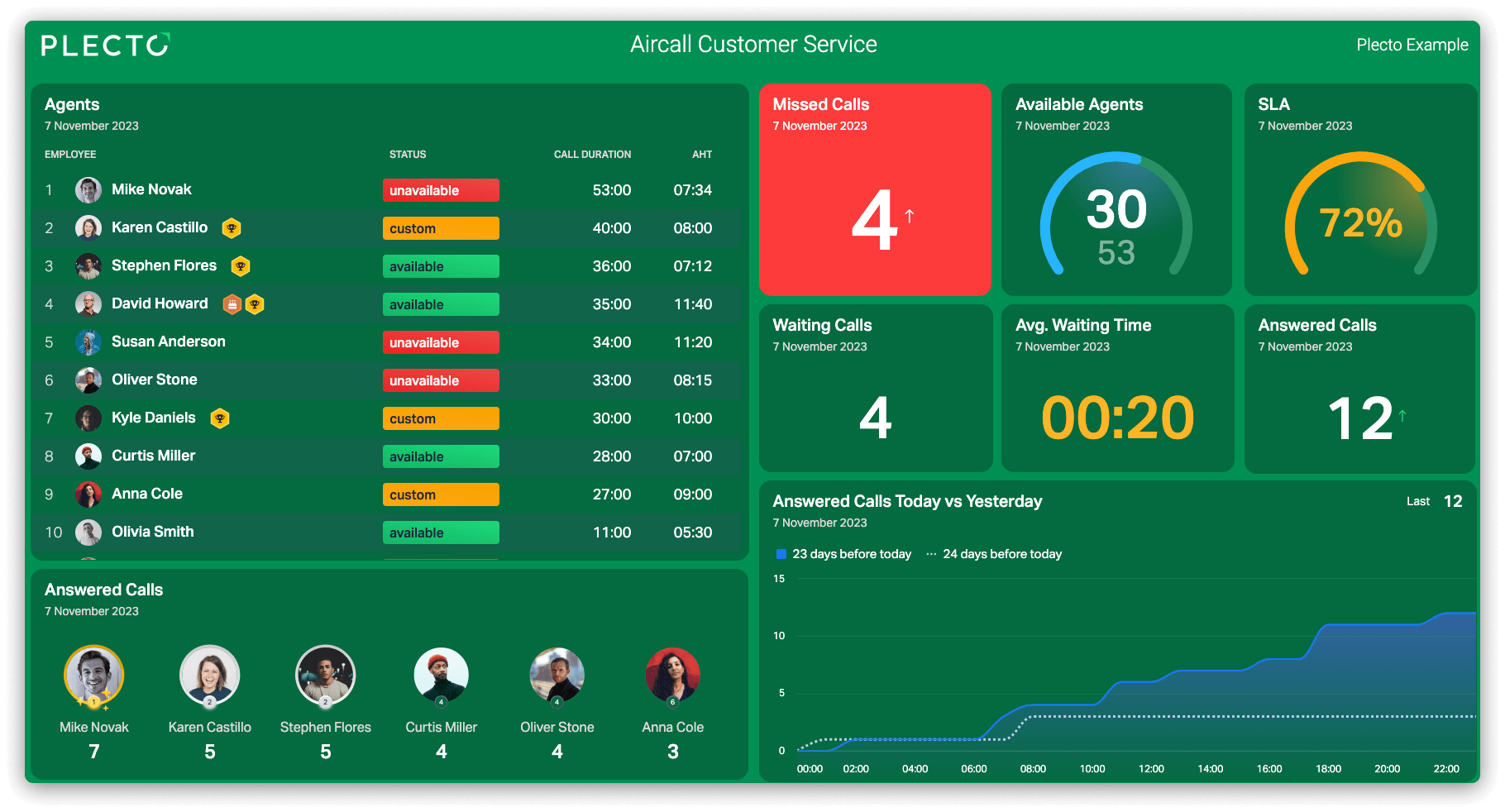
Operational dashboards track time-sensitive data that demands action now. They monitor processes that change minute by minute — ArcGIS operational dashboards used in emergency management to follow active calls and available ambulances are the vivid example. In a business, a support team watches live ticket volume, waiting times and agent availability, and a manager reassigns staff the moment the queue builds. Current conditions matter more than history.
Analytical dashboards
Analytical dashboards serve strategic decisions rather than immediate ones. They surface trends, expose anomalies, and set current performance against historical benchmarks. A regional manager comparing quarterly sales across franchise locations on real estate dashboards, or seasonal stock movement on a retail dashboard, is working analytically. These views usually carry filters and drill-downs so the user can follow a question where it leads.
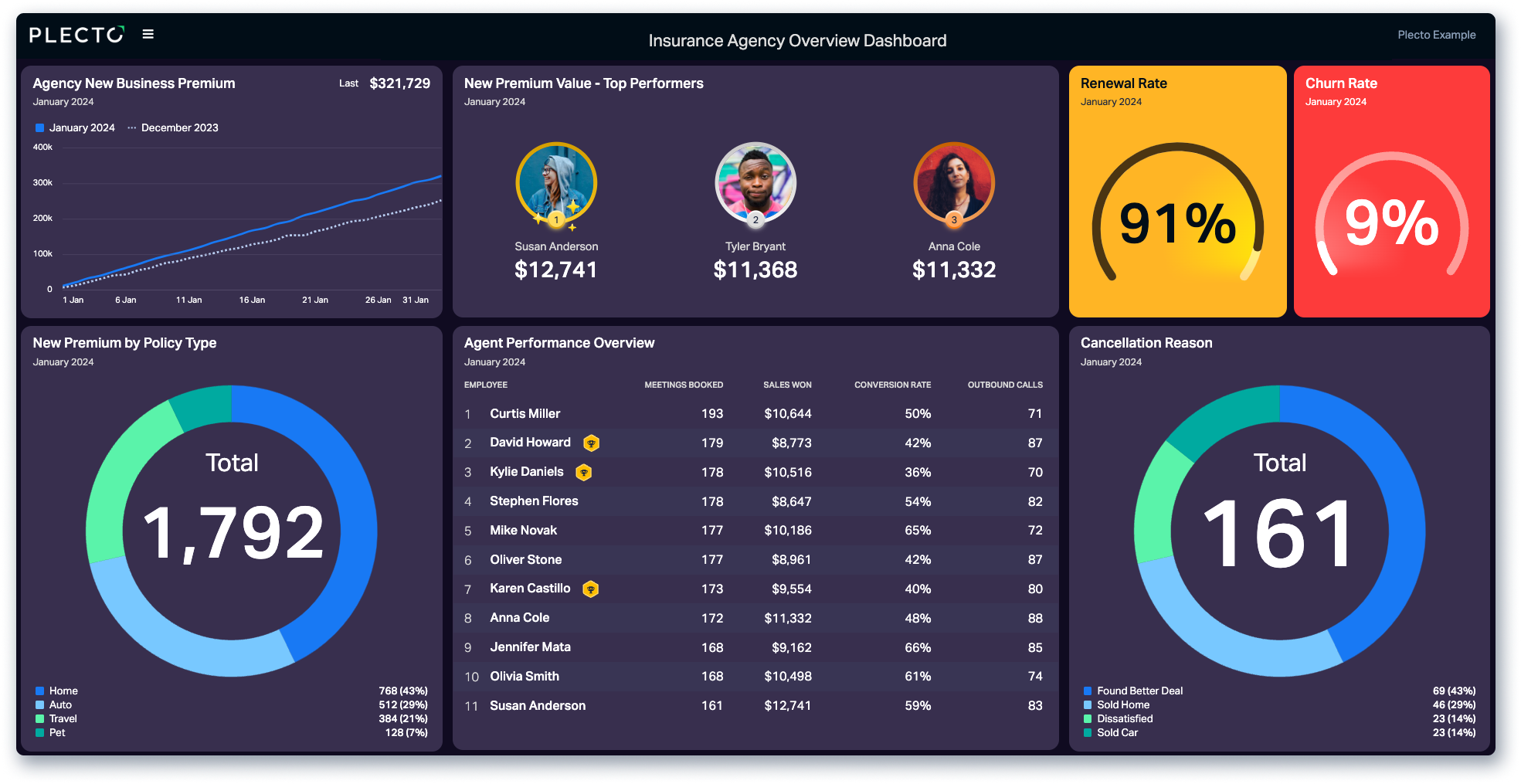
The distinction decides the design. An operational view that buries the alert has failed; an analytical view without comparison has nothing to say.
The modern dashboard meaning: live data and AI
Business performance platforms now sit at the centre of organizational data. Plecto integrates with 150+ business systems, including Salesforce, Zendesk and Pipedrive, pulling CRM, support and spreadsheet data into one view.
Display has diversified well past the desktop monitor. Slideshows put live screens on office TVs through the LG and Samsung apps, and the mobile app on iOS and Android gives remote staff the same numbers wherever they are.
AI is turning these displays from passive to active. Plecto's AI Formula Assistant builds complex metrics from a plain description, and MCP support lets you assemble a dashboard in conversation with Claude or ChatGPT.
Visualization is also no longer the whole product. Gamification features — coins, reward stores, real-time contests — attach motivation to the metrics, and coaching tools including one-on-ones and performance agreements let managers work from the same live data in a review. For the practical side of putting one together, see our guide to building a KPI dashboard.
Choosing the right interface
The dashboard meaning has travelled a long way from a plank of wood on a carriage, but the function has not moved at all. Decide what your team needs to see, match the interface to the time horizon — operational for a support floor, analytical for a quarterly review — and the screen keeps the signal in front of people and the noise behind the board.
Start a 14-day free trial and build your first live screen.
Questions
Dashboard meaning FAQs
A visual information display that consolidates the data needed to meet a specific objective and arranges it on a single screen, so users can read current conditions at a glance and respond quickly.
Operational dashboards track highly time-sensitive data such as live server status or active support calls, and exist to prompt immediate action. Analytical dashboards track historical trends and strategic metrics such as quarterly revenue growth, and exist to inform longer-term decisions.
Yes. Live metrics cast to office screens through the LG and Samsung TV apps. The public visibility keeps teams aligned on daily goals, and managers can trigger automated notifications or custom sounds when someone hits a target.
Most platforms offer direct API connections to common business software. Plecto pulls from tools such as Harvest and Serio Verify, as well as Slack and Microsoft Teams, without custom code. Data can also arrive by SQL, Excel, or manual entry — the data sources documentation covers the options.
Start your 14-day free Plecto trial today.
Enjoyed the article? Share it:


