Sign in
Formula for Different Commissions
Here's how to create a formula that calculates different commission rates
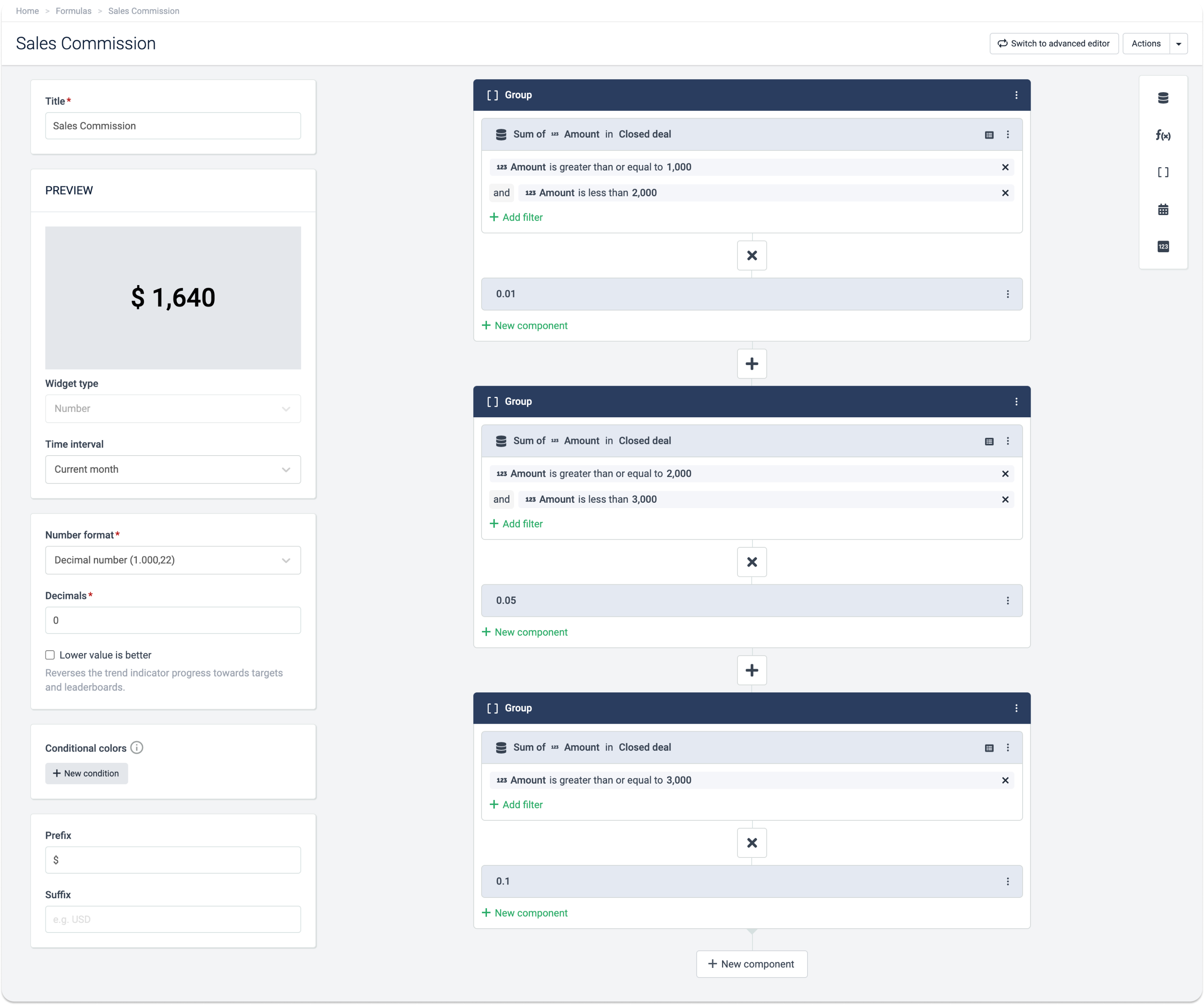
This formula will sum all the commissions, but once added to a table widget on a dashboard, it will show the individual commission rates of each employee.
-
If the won amount is between 1000 and 1999, give 1%
-
If the won amount is between 2000 and 2999, give 5%
-
If the won amount is higher than 3000, give 10%
| ((Sum(Closed deal,Amount>=1000&Amount<2000,Amount)*0.01)+(Sum(Closed deal,Amount>=2000&Amount<3000,Amount)*0.05)+(Sum(Closed deal,Amount>=3000,Amount)*0.1)) |
|---|
Tip! Paste this formula in the Advanced editor, then change your data source and conditions, and switch back to the Visual editor.