 Sign in
7 Powerful Geckoboard Alternatives for 2026
Geckoboard alternatives compared for 2026: Plecto, Klipfolio, Databox, Power BI, Tableau, Looker Studio and Zoho Analytics on data, TV dashboards and price.

If You Want Another Dashboard Option than Geckoboard...
Geckoboard is a great tool for businesses just starting out, or for small companies that need only the basics of data analytics in an easy-to-use format with no frills.
But what happens when you scale up? This isn’t Geckoboard’s forte — but thankfully, there’s a plethora of cost-effective SaaS options available that let you engage with data in dynamic ways, while scaling your analytics capabilities in tandem with your business.
Below, we’ve listed seven of the best Geckoboard alternatives for ambitious teams. Some are focused on immediate, actionable team performance insights; others excel at providing in-depth analysis of long-term trends. Whatever your needs, there are excellent Geckoboard alternatives available for you. If you are also weighing up Klipfolio, see our Klipfolio alternatives comparison.
The short answer
Written by Plecto. Competitor details reflect each vendor's public positioning; check their sites for current plans and prices.
Geckoboard alternatives are dashboard and analytics tools that connect to your business data and keep metrics visible to a team. They range from live KPI dashboards for operational teams to BI platforms for analysts. The best Geckoboard alternative depends on what you need beyond a simple KPI screen:
- Plecto if you want real-time dashboards and gamification (leaderboards, instant notifications and, on the Large and Enterprise plans, contests) for sales and customer success teams. Connects to 150+ systems.
- Klipfolio if you want a more customizable dashboard and reporting tool with many data-source connectors.
- Databox if you want mobile-first performance tracking with marketing and sales templates.
- Power BI if you have large datasets, analyst support and a Microsoft environment.
- Tableau if you need rich, custom visualizations on large datasets stored in a warehouse.
- Looker Studio if you want free, basic reports on Google data.
- Zoho Analytics if you want deeper analysis with AI-driven insights and data preparation without coding.
Geckoboard itself is still a good pick for small teams that want the basics of data analytics in an easy-to-use format with no frills.
The tools at a glance
| Tool | Best for | Teams | TV display | Public pricing |
|---|---|---|---|---|
| Plecto | Real-time dashboards plus gamification | Sales, customer success, contact center | Unlimited TVs at no extra cost, via slideshows and TV apps | From $24 / license / month, billed yearly (10 licenses min.) |
| Geckoboard | Simple live KPI dashboards for screens, Slack and email | Sales, support, operations, marketing | TV dashboards; screens depend on plan | Tiered plans; see vendor |
| Klipfolio | Customizable real-time dashboards and reporting with many data connectors | Business teams, analysts, agencies | Full-screen (TV) mode | Tiered plans; see vendor |
| Databox | Mobile-first performance tracking with marketing and sales templates | Marketing and sales teams, agencies | Stream to TV | Tiered plans; see vendor |
| Power BI | Deep analysis of large datasets | Analysts, Microsoft environments | Full-screen mode | Free and per-user plans; see vendor |
| Tableau | Advanced visualizations on large datasets | Analysts, larger organizations | See vendor | Per-license tiers; see vendor |
| Looker Studio | Free basic reports on Google data | Teams using Google tools | Present mode (full screen) | Free; Looker Studio Pro is paid |
| Zoho Analytics | AI-assisted analysis with data preparation for non-coders | Non-technical business users | See vendor | Tiered plans; see vendor |
- All subscription prices shown are from annual (not monthly) plans.
- All listed prices are accurate as of December 2025.
- Prices are listed in USD; those originally listed in other currencies have been converted to USD.
- Prospective customers for these software are responsible for confirming listed prices.
1. Plecto
Key Features
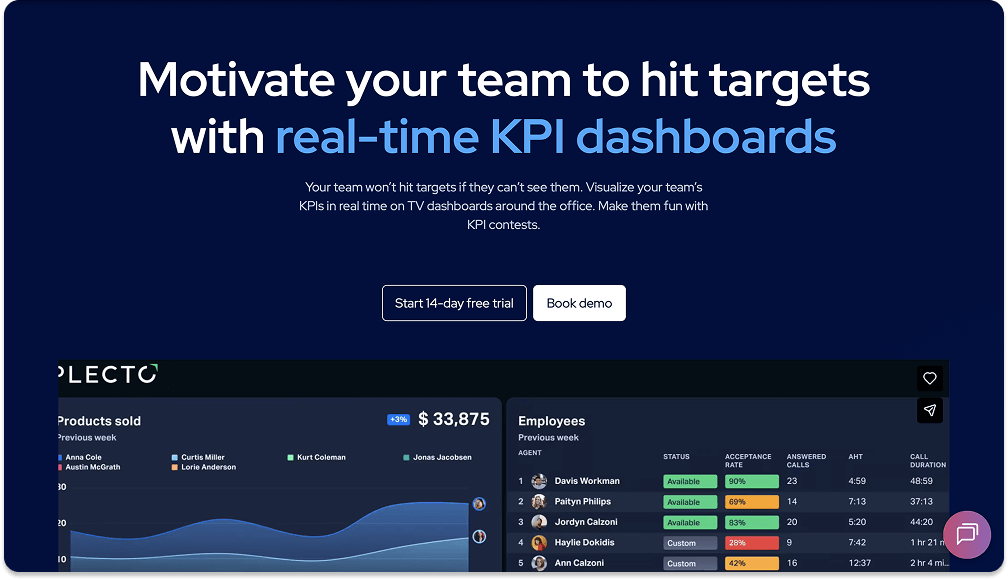
Plecto is one of the most unique data analytics products on the market, offering both data visualization and gamification features for your team to level up their performance.
Get live data insights via 150+ integrations on Plecto’s real-time and dynamic dashboards. Plecto provides several gamification elements—including leaderboards, instant notifications, and contests—to motivate teams and boost engagement. Unlimited dashboards, data sources, and TV connections are offered across all price tiers, and automated reports are on the Large and Enterprise plans.
Benefits
If you want to harness the power of data visualization and use it in a motivating gamification format, Plecto is the tool for you.
- Plecto’s gamification features create an exciting and motivating environment for sales and CS teams, allowing them to increase their performance and productivity.
- Plecto offers unlimited dashboards and data sources at every price point, allowing for easy scalability.
- Plecto requires zero coding expertise to use – though you can build custom formulas of your own, and receive support from our Expert Service team.
Limitations
Plecto is a platform for teams to get immediate feedback at a moment’s notice, so it doesn’t have the heavy-duty analytics features of other platforms.
- Plecto focuses on simplified, easy-to-understand visuals for teams to receive on-the-fly updates and make decisions accordingly. So it doesn’t offer the advanced analytics of other platforms such as Tableau or Power BI.
- Because it’s based on user licenses, Plecto pricing can be higher for small businesses.
Pricing
Plecto comes in three price tiers: Medium, Large, and Enterprise. Medium and Large are priced per license/month, with a 10-license minimum.
- Medium: $24 per license/month, billed yearly
- Large: $37.20 per license/month, billed yearly (adds contests, Reward Store, reports and coaching)
- Enterprise: Custom pricing
2. Klipfolio
Key Features
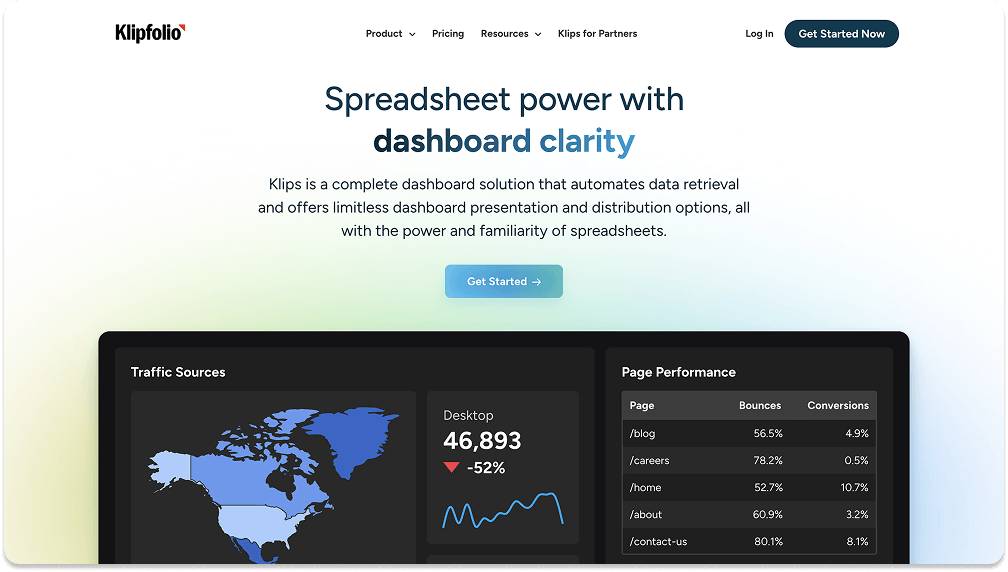
Klipfolio offers a lot of Geckoboard’s features but in a more comprehensive format.
Klipfolio is a real-time dashboard and reporting solution, with a strong focus on data-source connectors for various databases and APIs. To supplement these real-time features, Klipfolio provides an extensive library of prebuilt visualizations and an easy-to-use drag-and-drop interface.
Benefits
If you need data analytics and need them now, Klipfolio is a great place to get started.
- Klipfolio is easy to set up, so you don’t have to spend significant time getting started with dashboards.
- High degree of customization, no coding skills needed.
- Facilitates real-time decision-making via automatic data retrieval.
Limitations
More features than Geckoboard also means a higher price and somewhat more complex setup.
- Out of the software listed here, Klipfolio is probably the closest match to Geckoboard, but comes at a higher price.
- While not a BI tool, Klipfolio has a steeper learning curve than Geckoboard.
Klipfolio sells tiered plans; check the vendor for current prices.
3. Databox
Key Features
Comprehensive data analytics done easily – that’s Databox in a nutshell.
Databox is unique: it has a mobile-first approach, with its app an ideal platform for tracking performance on the go. Besides the standard sales templates and visualization library, It also comes with prebuilt templates for marketing. Finally, Databox has an alert system that notifies users of anomalies in their data.
Benefits
Databox’s mobile-first format is definitely its biggest user advantage.
- It’s easy to use. Databox has a user-friendly interface and simple setup for creating dashboards quickly.
- Can be accessed any time, anywhere, from its mobile app.
- Comes with templates for marketing and sales analytics to optimize your reporting process.
Limitations
Databox’s ease of use means it’s not always up to the task of performing complex calculations.
- With its limited, mobile-first functionality, Databox isn’t always ideal for in-depth analytics on lower-tier plans.
- Because it delivers data in a more straightforward way, Databox can’t always customize metrics on lower-tier plans.
Pricing
Databox sells tiered plans; check the vendor for current prices.
4. Microsoft Power BI
Key Features
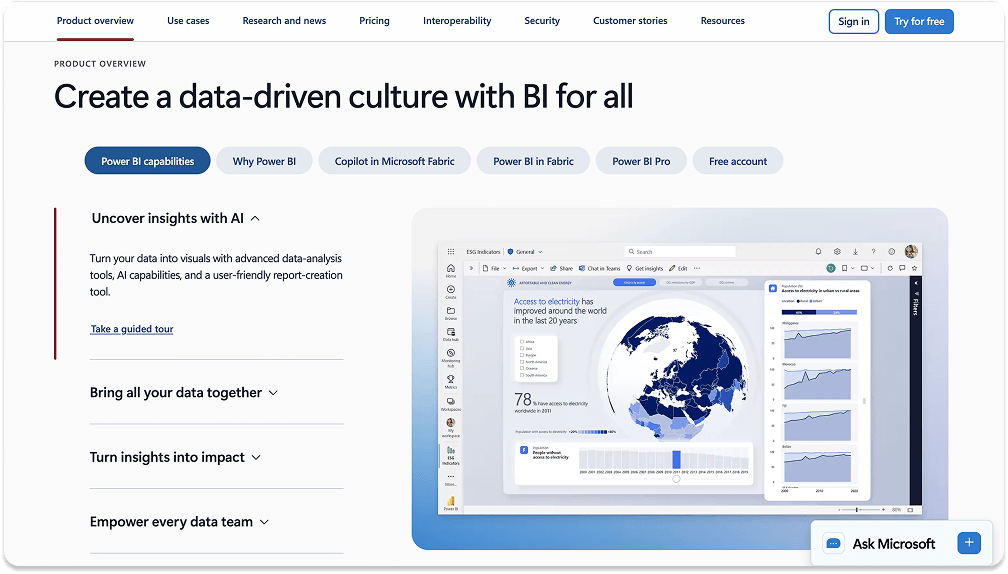
If you have large datasets that you want to take an extensive dive into, you won’t go wrong with PowerBI.
Power BI links seamlessly with the rest of the Microsoft ecosystem—Azure, Excel, Teams, and more. It provides advanced analytics and forecasting features, as well as a wide variety of data connectors and visualization options.
Benefits
From a practical standpoint, Power BI’s biggest advantage is its inclusion within the Microsoft suite.
- Easily scalable for organizations of any size.
- Highly cost-effective and convenient for organizations already using Microsoft products.
- Ideal for complex data analysis, modeling trends, and performing data deep dives.
Limitations
Power BI is for serious data analytics, and isn’t really intended for beginners or for those who need more casual data insights.
- Power BI has a steep learning curve, so using it will likely require the help of a professional data analyst.
- Free and Pro plans have only a 1GB limit for datasets.
Pricing
Power BI sells tiered plans; check the vendor for current prices.
5. Tableau
Key Features
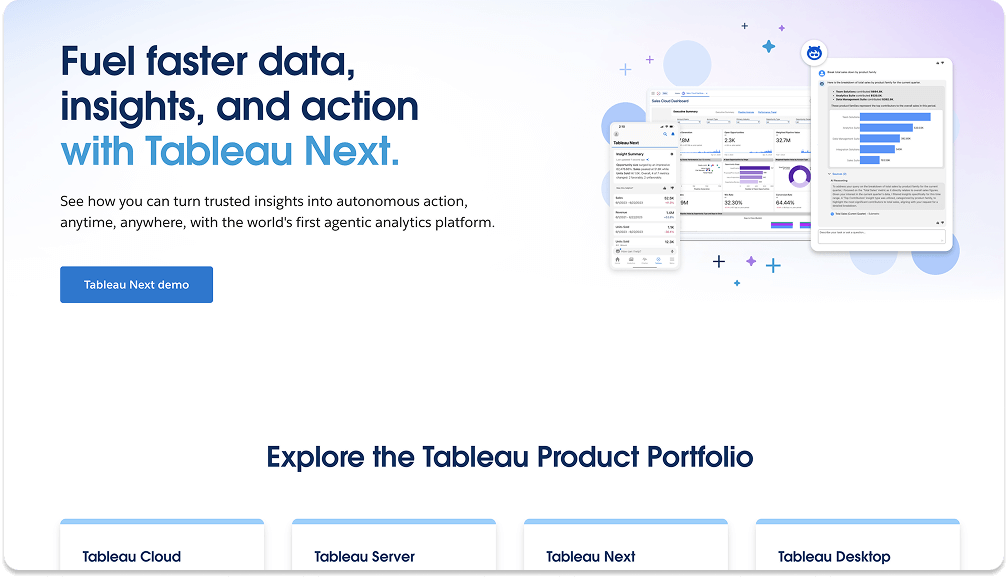
Well-known for its visualizations, Tableau lets you explore and engage with data in novel ways.
Tableau supports a huge array of complex and customizable visuals, from basic charts to heat maps. A strong community and extensive online support resources allow users to make full use of its analytical features.
Benefits
Tableau can’t be beat in building beautiful, engaging visualizations from large datasets.
- Tableau enables users to create beautiful, professional data reports.
- Comes with predictive analytics features for forecasting and data modeling.
Limitations
Tableau comes with special requirements for use, and therefore isn’t an accessible analytics tool for beginners or small orgs.
- Doesn’t perform ETL (extract, transform, load) as well as some other tools.
- Requires data to be pre-stored in a warehouse before use.
- Can be very expensive, especially for larger organizations with a lot of subscriptions.
Pricing
Tableau Cloud sells tiered plans; check the vendor for current prices.
6. Looker Studio
Key Features
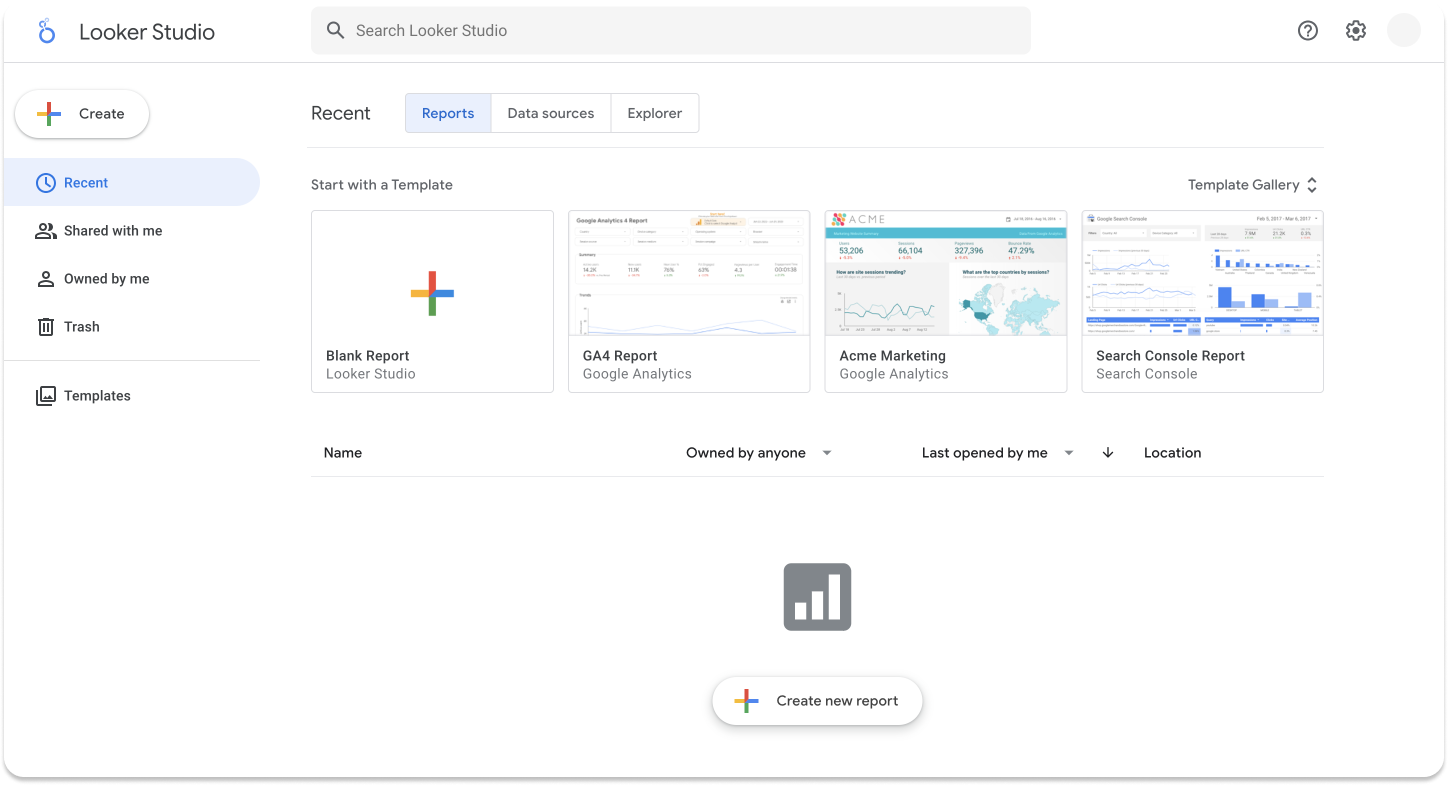
Are you a Google user? Do you like free tools? If you’re searching for “just the basics,” Looker Studio has you covered.
A Google Cloud feature, Looker Studio has native integration with all other relevant tools in the Google universe (Analytics, Ads, BigQuery, Sheets). Its parent platform allows for real-time collaboration and easy sharing with other Google users.
Benefits
Looker Studio covers the basics of data analytics with zero cost attached.
- The biggest benefit? It’s free.
- Seamless integration with data analytics tools in the Google ecosystem.
- Allows for real-time collaboration and easy sharing with other users.
Limitations
Looker’s free cost is also its biggest drawback.
- Looker has considerably less complex BI than other tools.
- Users will need to have heavy reliance on third-party integrations to obtain the full functionality seen in other platforms.
7. Zoho Analytics
Key Features
Zoho has been around for nearly 30 years, speaking to its strength as a multipurpose analytics software.
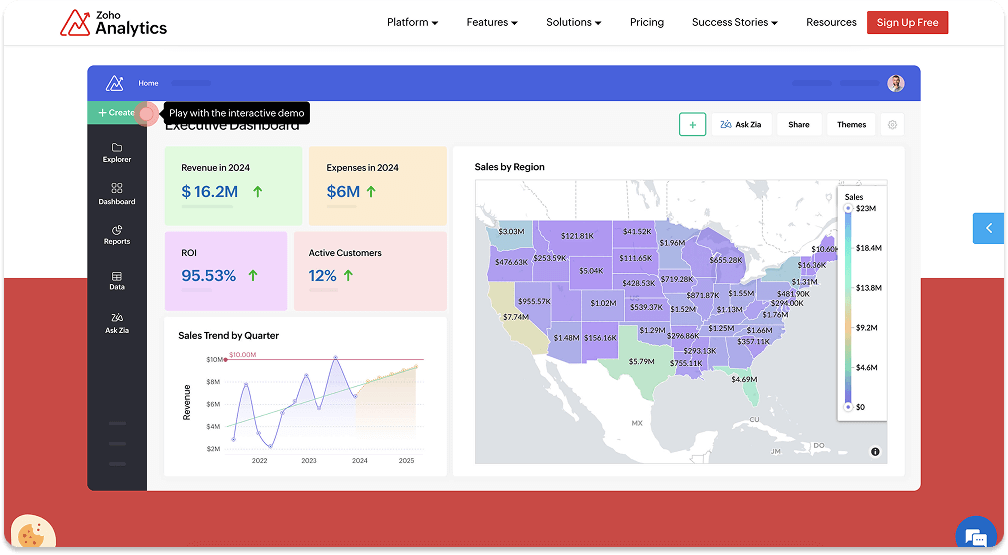
Zoho Analytics offers advanced analytics features, including AI-driven insights and customizable reports. It also has easy-to-use connectors that integrate and combine data from multiple source types, whether files, feeds, or apps.
Benefits
Zoho Analytics helps make complex data analysis accessible and actionable for non-technical users.
- Offers pre-built, domain-specific reports and dashboards for over 100 applications.
- Powerful AI features that include natural-language queries and predictive analytics.
- Strong ETL capabilities that allow non-coders to clean data before analysis.
Limitations
Zoho doesn’t have a lot of limitations, but its learning curve could be a factor in maximizing its use.
- While not as intense as learning Power BI or Tableau, Zoho will still require deeper technical understanding for advanced use cases.
Pricing
Zoho Analytics sells tiered plans; check the vendor for current prices.
The Plecto Difference
Plecto offers an incredible two-for-one value with both its visualization and gamification capabilities. If you’re looking to level up from Geckoboard and bring valuable motivation to your team, Plecto offers a deal that can’t be beat. Sign up for a free demo today.
FAQ
Geckoboard alternatives FAQ
It depends on what you need beyond a simple KPI screen. For sales, customer success and contact center teams that want real-time dashboards plus gamification, Plecto is the closest all-round alternative. Klipfolio suits teams that want more customization, Databox suits mobile-first tracking, and Power BI or Tableau suit analyst-led BI. See Plecto vs Geckoboard for a head-to-head.
Plecto. It adds leaderboards and instant notifications on every plan, and contests, a Reward Store and a Spinning Wheel on the Large and Enterprise plans, on top of real-time KPI dashboards. Geckoboard focuses on dashboards and does not position itself around gamification. If gamification is your main goal, also see our Spinify alternatives comparison.
Plecto is built around TV display: dashboards, leaderboards and contests play on an unlimited number of TVs at no extra cost, through slideshows, a TV app for Samsung, LG and Android smart TVs, or any TV browser. Geckoboard also shows dashboards on TVs, but its plans limit the number of screens, so check what each plan includes. See the TV dashboards guide.
Yes, with limits. Google says Looker Studio is free, and Power BI Desktop is free to download. Plecto has no free plan, but it offers a 14-day free trial with no credit card required, and current prices are on the pricing page.
Plecto charges per tracked license per month, with a 10-license minimum and 20% off when billed yearly. Dashboards and data sources are unlimited on every plan, while contests, the Reward Store and reports are on the Large and Enterprise plans. Geckoboard sells tiered plans; check the vendor for current prices, and see Plecto's pricing page.
Start your 14-day free Plecto trial today.
Enjoyed the article? Share it:


JAMES NIILER