Sign in
How to Activate a TV Using Your Phone
Activate your Plecto TV in less than 15 seconds!
If you've downloaded the Plecto app on your TV, activating it will take less than a blink of an eye. 😏
-
Open Plecto on your TV. If you don't have the app, you can open tv.plecto.com in your TV browser.
-
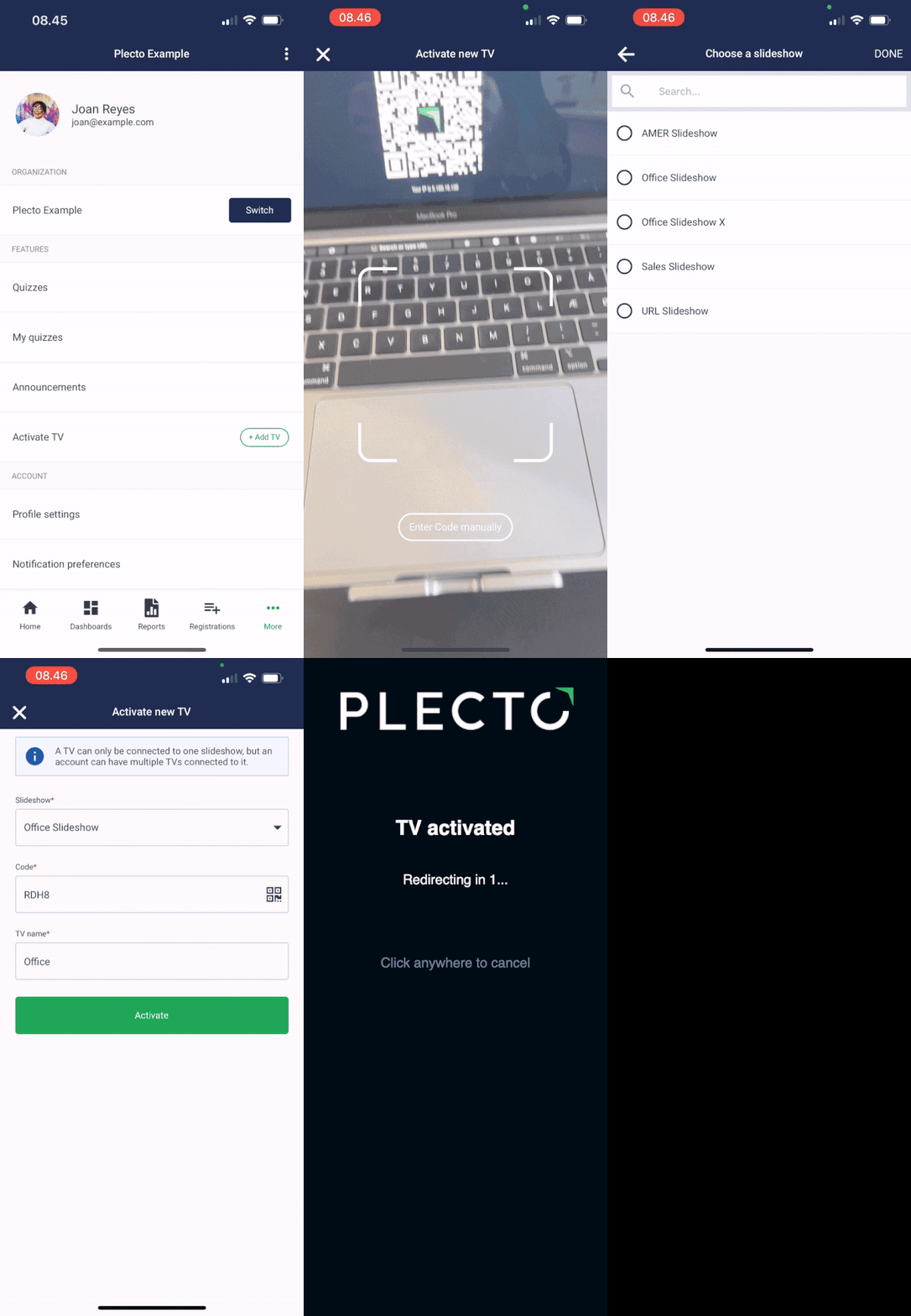
Open the Plecto app on your mobile.
-
Go to More > Add TV.
-
Point your camera towards the QR code displayed on your TV.
-
Select a slideshow.
-
Enter a TV name (such as Operations or Marketing).
-
Tap Activate.
You're all set. Happy KPI-tracking! 🎉