Sign in
How to Update Your Localization Settings
A dot or a comma? Update your localization settings
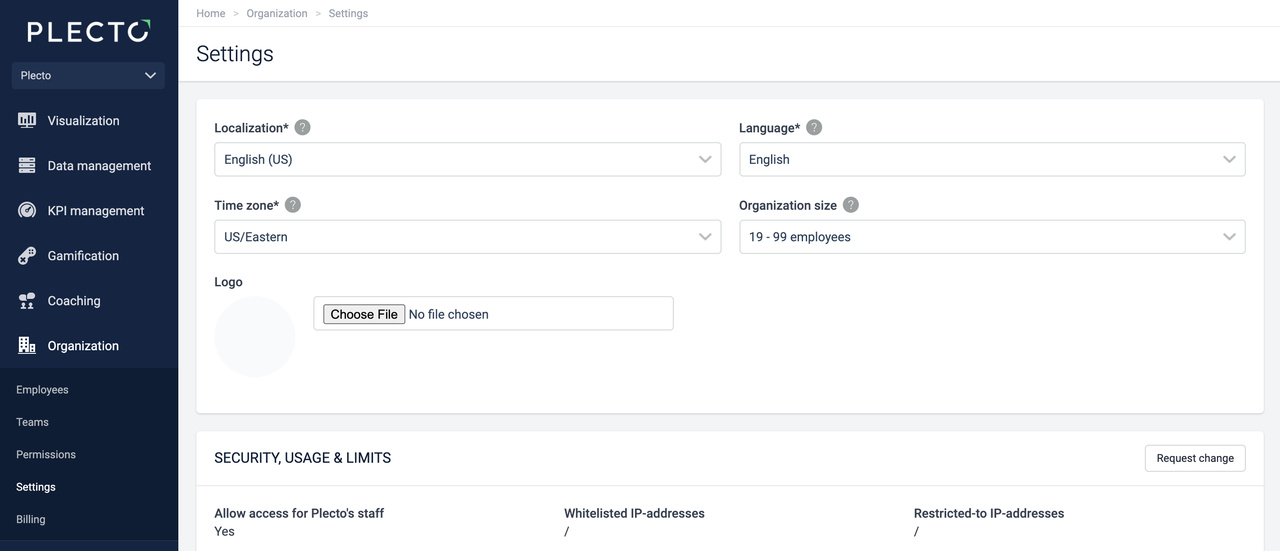
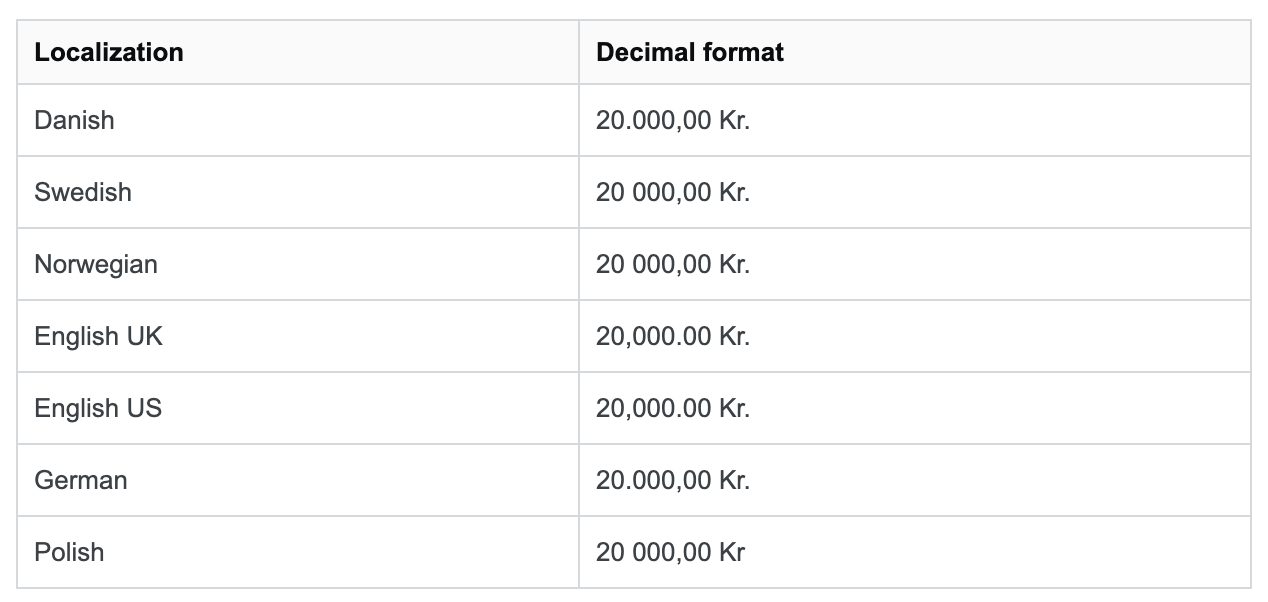
Decimal and thousands separators are formatted based on your localization settings in Plecto. Here's how to change the localization settings:
-
Go to Settings.
-
Select one of the options under Localization. Plecto currently offers English (US), English (UK), Danish, Swedish, Norwegian, German, and Polish localization options.
-
Click Save in the bottom-right corner.
Once you save the settings, Plecto will instantly change the number formatting on your dashboards.