Sign in
Updating Your Billing Information
Billing information
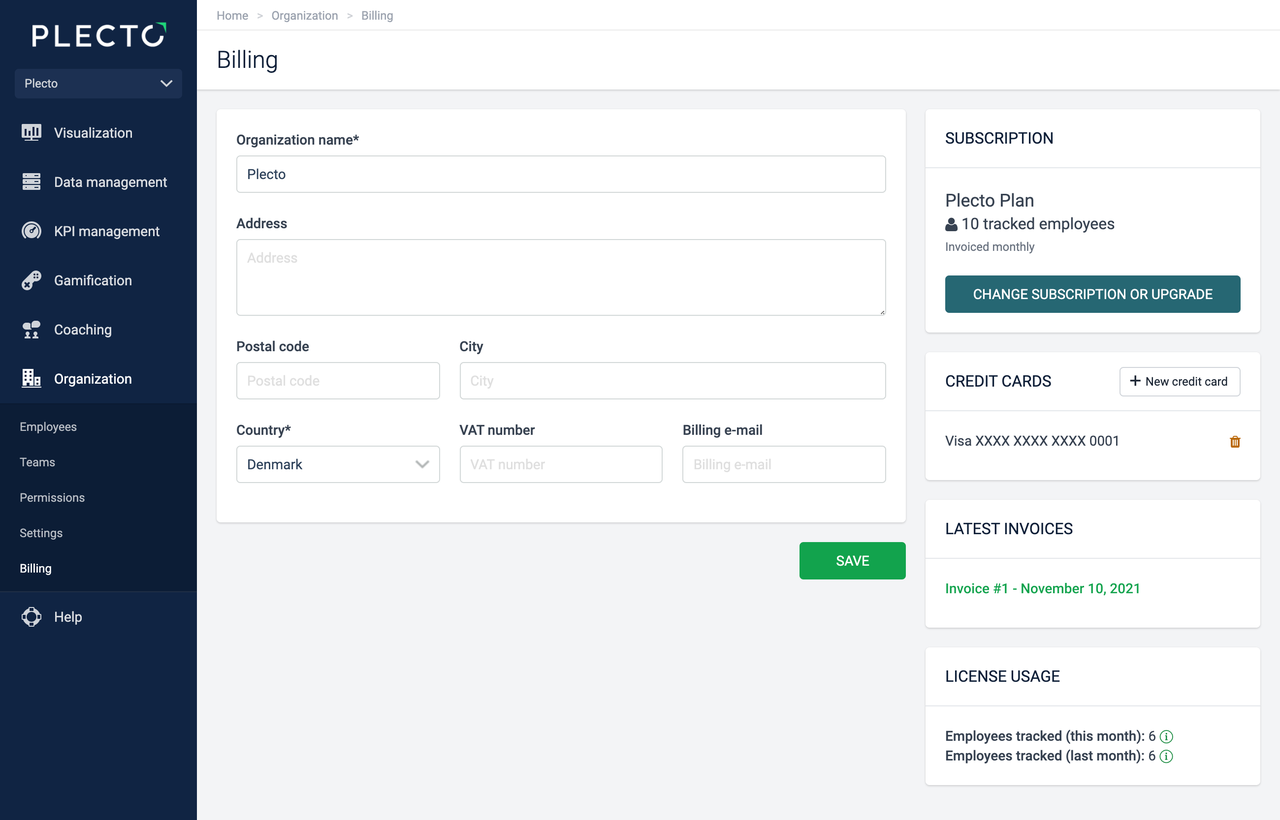
Go to Organization > Billing. From there, you can manage the following:
-
Billing – Change your organization's name and address, add your VAT number, add a billing email.
-
Subscription – Change or upgrade your subscription.
-
Credit cards – Add or remove credit cards.
-
Latest invoices – See your invoices.
Billing email
If you add a billing email in your organization, all invoices will be sent to that email. If you want to add technical or legal contacts, go to the Settings page.
Update your payment cards
Global admins and employees with permission to access the Billing page can add or remove payment cards in Plecto.
-
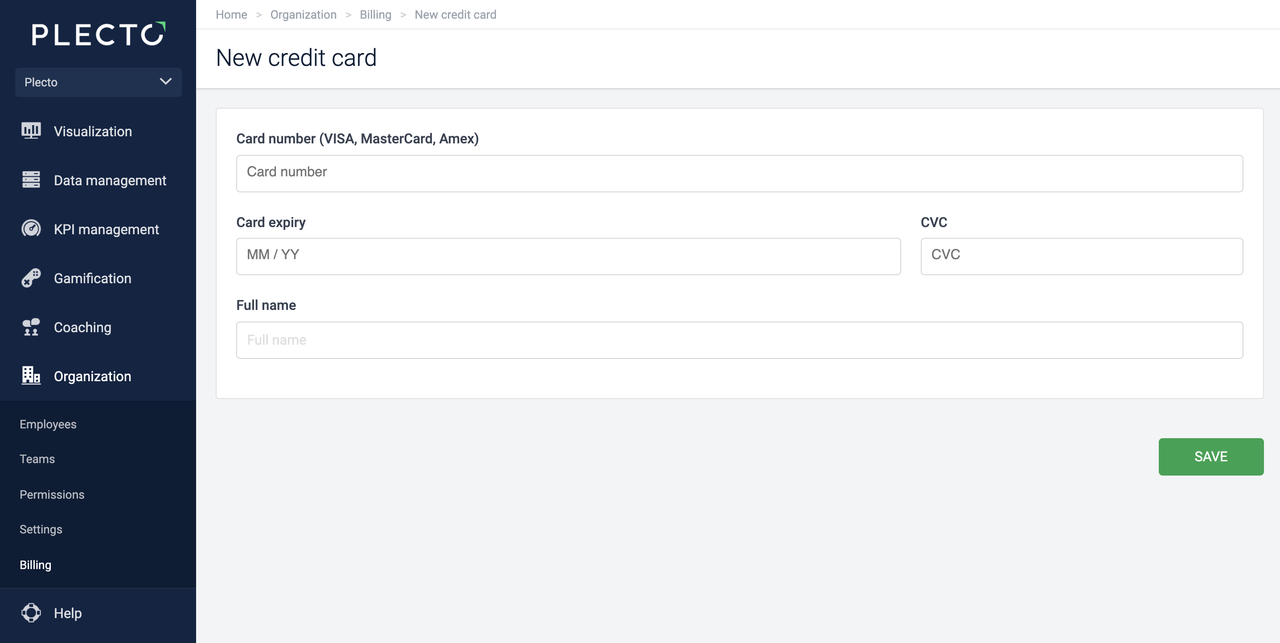
Go to Organization > Billing > + New credit card.
-
Enter the card information, then click Save.
To remove a credit card, click on the red delete icon on the right of the credit card line.
Contact our support team if you have any questions related to updating your card information or billing details.