 Sign in

How to Export a Report
Export a report
-
Go to Reports and open the report you want to export.
-
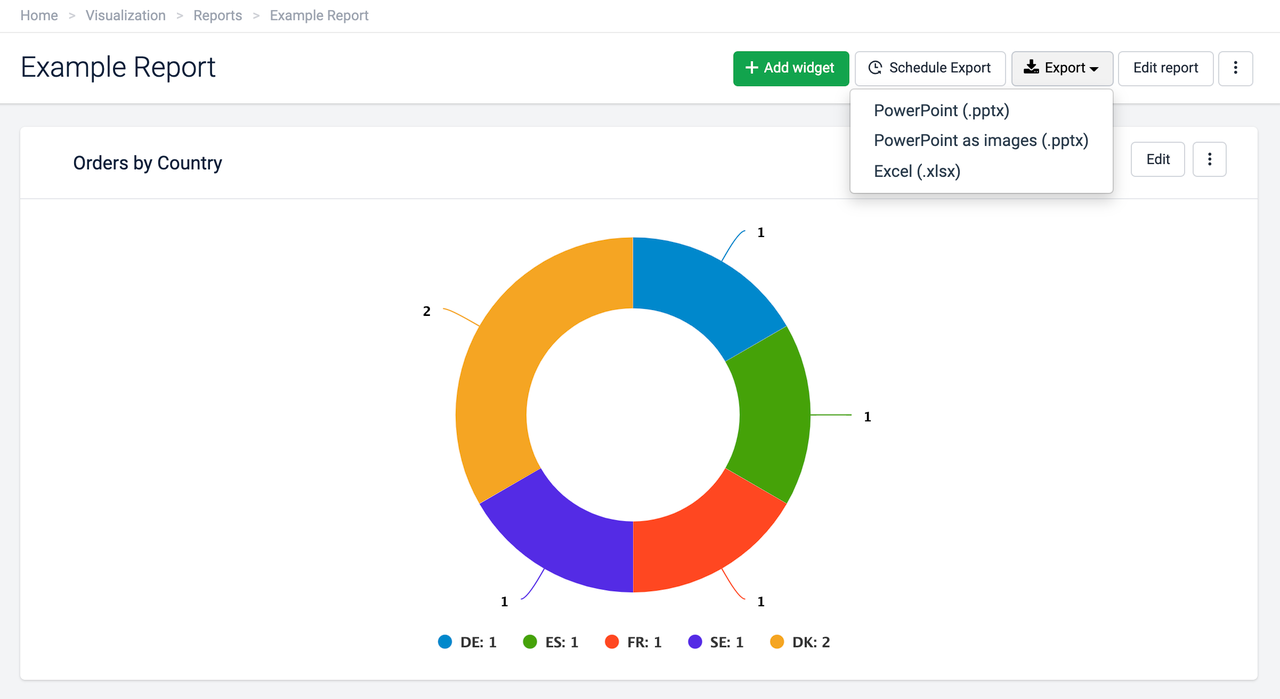
Click Export in the top-right corner.
-
Select file format:
-
PowerPoint (.pptx): This format exports all widgets as PowerPoint charts and graphs in the presentation.
-
PowerPoint as images (.pptx): Exports all widgets as images in the presentation.
-
Excel (.xlsx): Exports an Excel spreadsheet.
-
Plecto will generate the report and download it on your local device.
In PowerPoint, we export the first 10 registrations (KPIs, drill-down items) and up to 14 columns from a single widget. For a better overview, we recommend adding up to 10 KPIs per widget to ensure you can see them in the exported file.
Schedule automatic exports
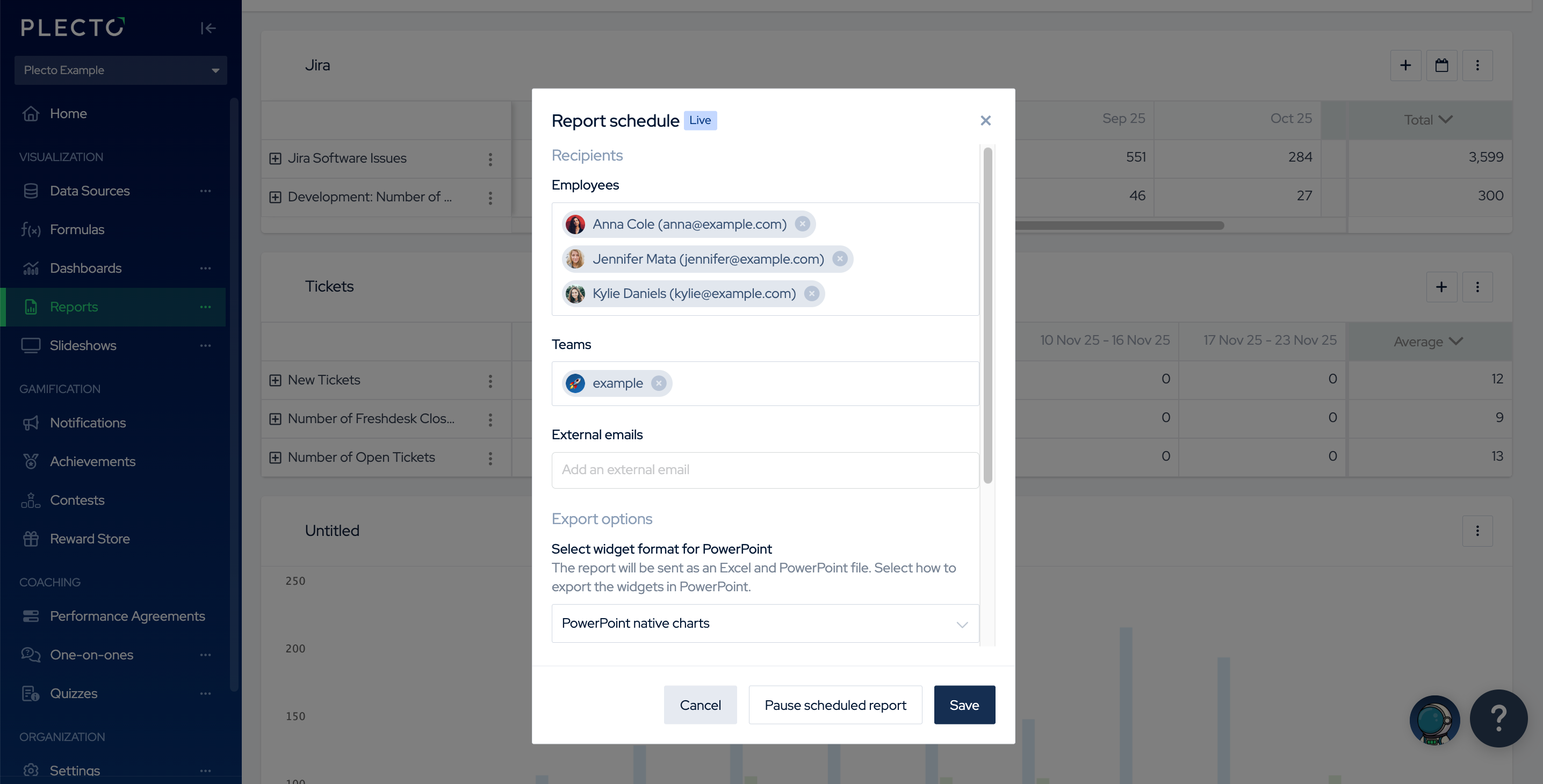
Schedule an export and receive automatic emails with your report in both file formats (.xlsx and .pptx).
Click Schedule Export in the top-right corner and choose between hourly, daily, weekly, or monthly export.