Sales Dashboards Examples

How can you use sales dashboards?

A sales dashboard gives your team a live view of the metrics that matter most: pipeline value, revenue against target, rep activity, and deal progress, all updated the moment your data changes. No more manual reports or chasing updates.

Plecto connects with your CRM and sales tools, including HubSpot, Salesforce, and Pipedrive, so your dashboards are powered by real data from day one. Browse the examples below to find the right starting point for your team, or grab a ready-made template and get up and running in minutes.

Dashboards for sales activities

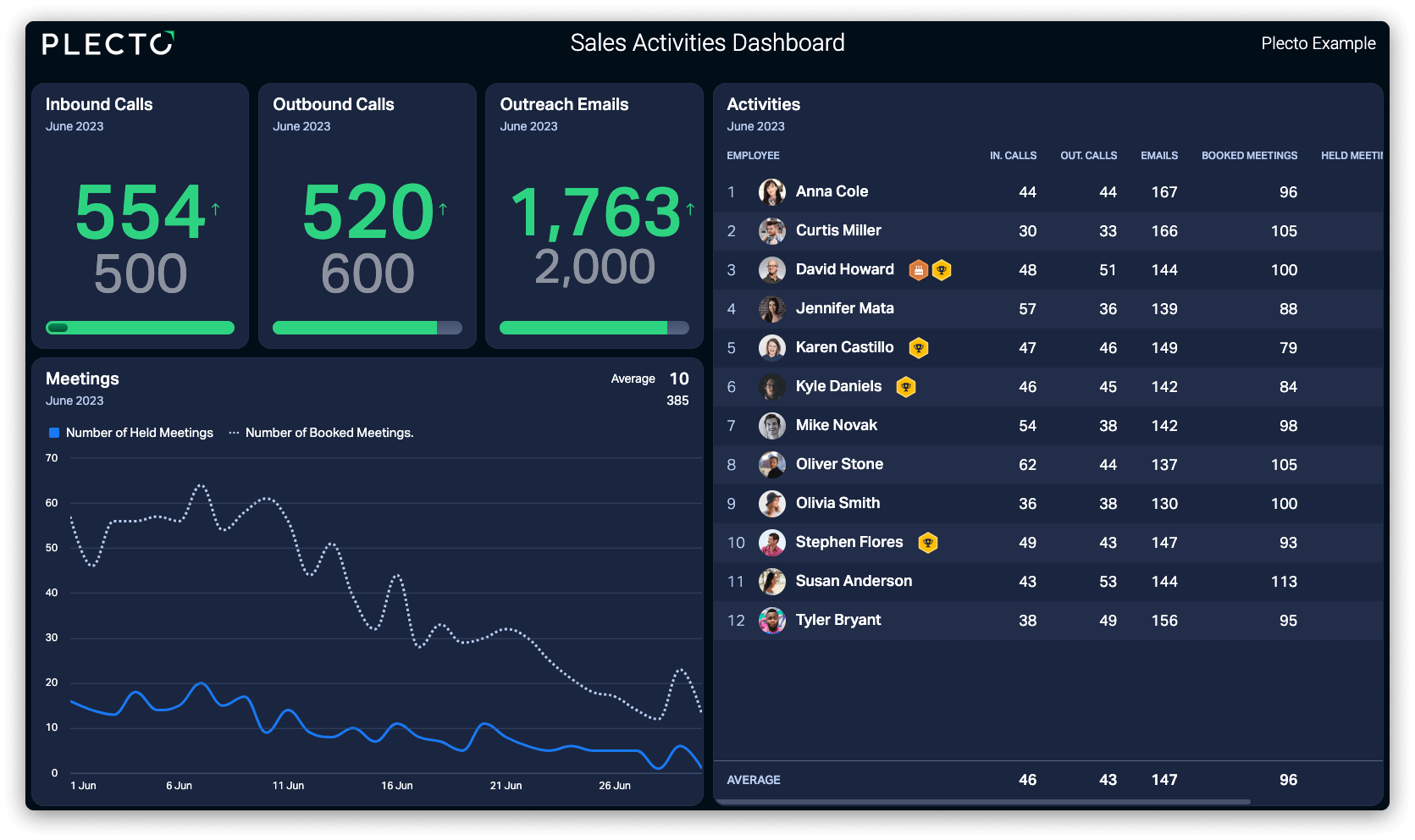
Keep your frontline sales team focused on the actions that drive revenue. This dashboard tracks outbound calls made, emails sent, meetings booked, and demos completed—giving managers instant visibility into daily activity.

Dashboards for sales managers

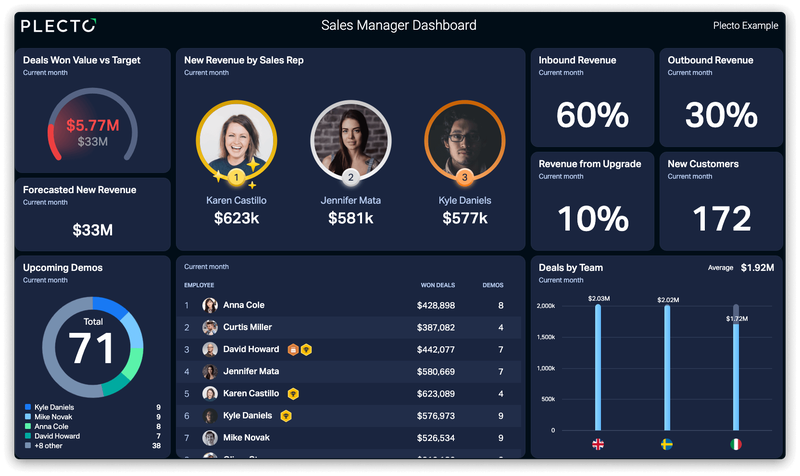
Get a complete picture of your team's performance and KPIs without digging through spreadsheets. Use as a wallboard or on your laptop. Perfect for sales managers who need actionable, at-a-glance insights every day.

Dashboards for sales opportunities

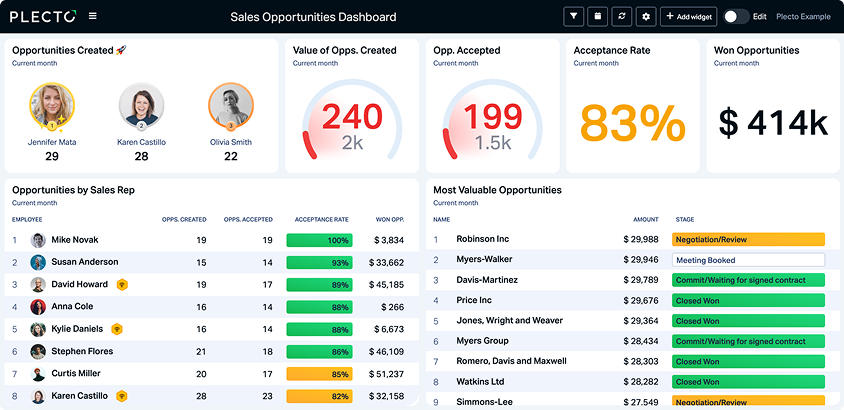
Never lose sight of where deals stand. This dashboard tracks every opportunity by stage, value, and close probability. Ideal for revenue forecasting and end-of-quarter pipeline reviews. Integrates seamlessly with Salesforce, HubSpot, and Pipedrive.

Dashboards for sales account managers

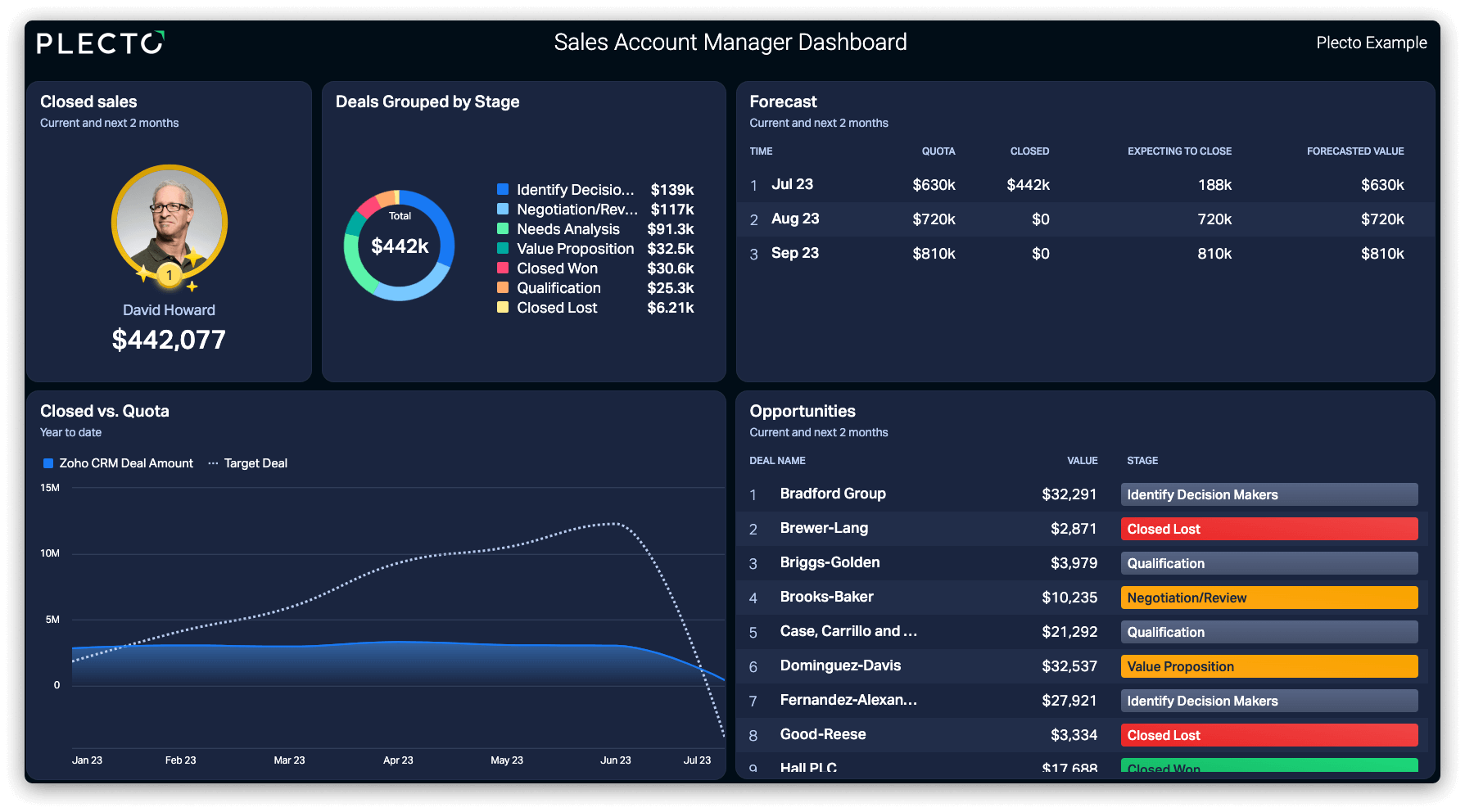
Stay on top of your entire customer portfolio in real time—and avoid negative surprises. Ideal for teams managing a large business book where visibility across multiple accounts is critical.

Dashboards for store performance

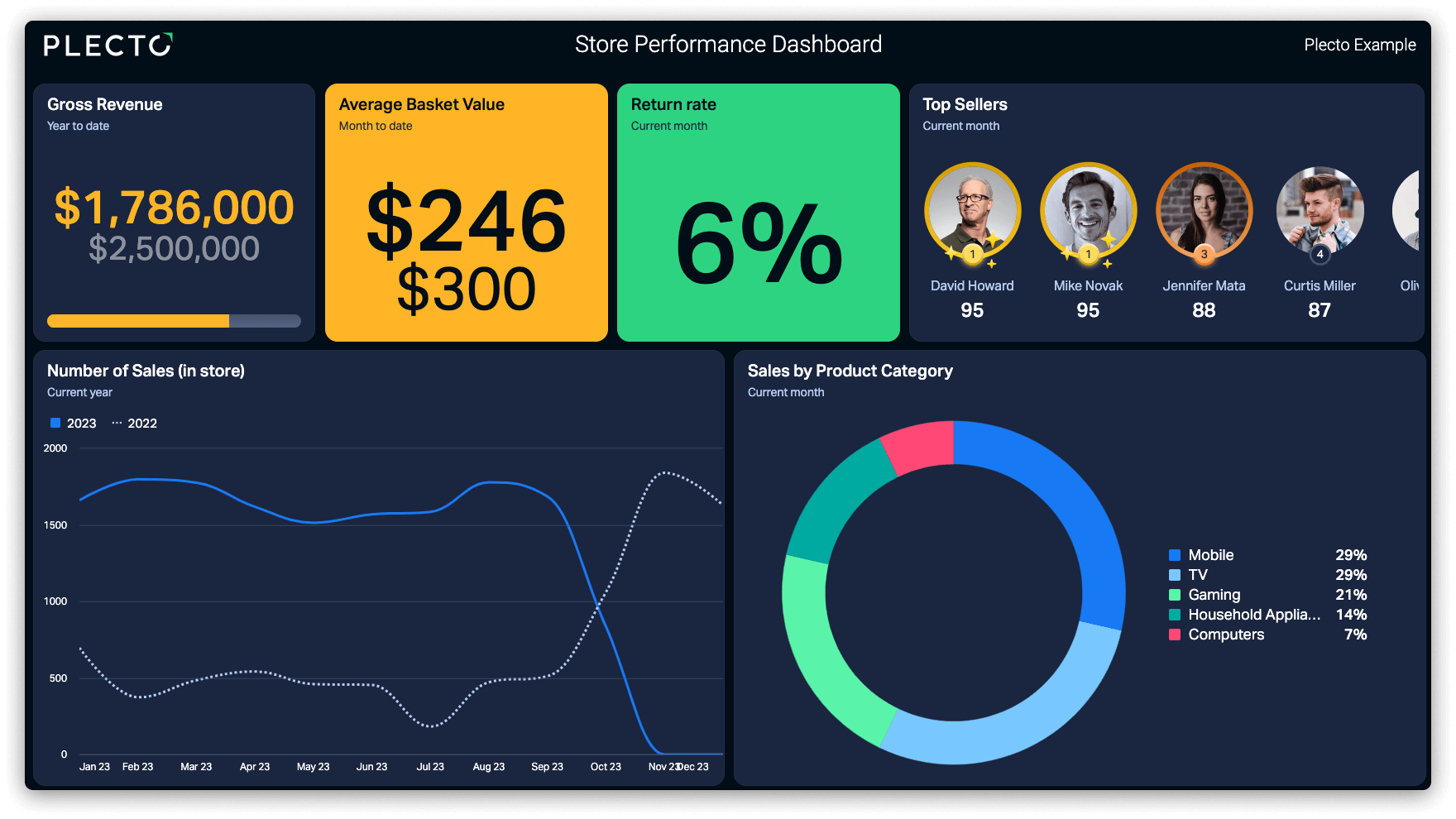
Understand exactly which locations, channels, or product lines are driving your numbers—making it easy to spot your strongest performers and identify where support is needed. Ideal for multi-location retail and field sales teams.

Dashboards for sales revenue

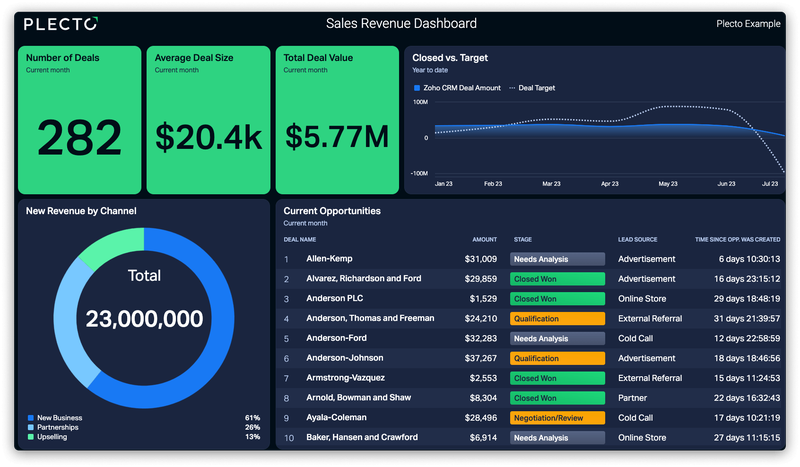
Track where your revenue is coming from and whether you're on pace to hit your targets. A must-have for sales leaders who need a real-time pulse on the business at any given moment.

Plecto Templates

Ready-to-use dashboards with free Plecto templates

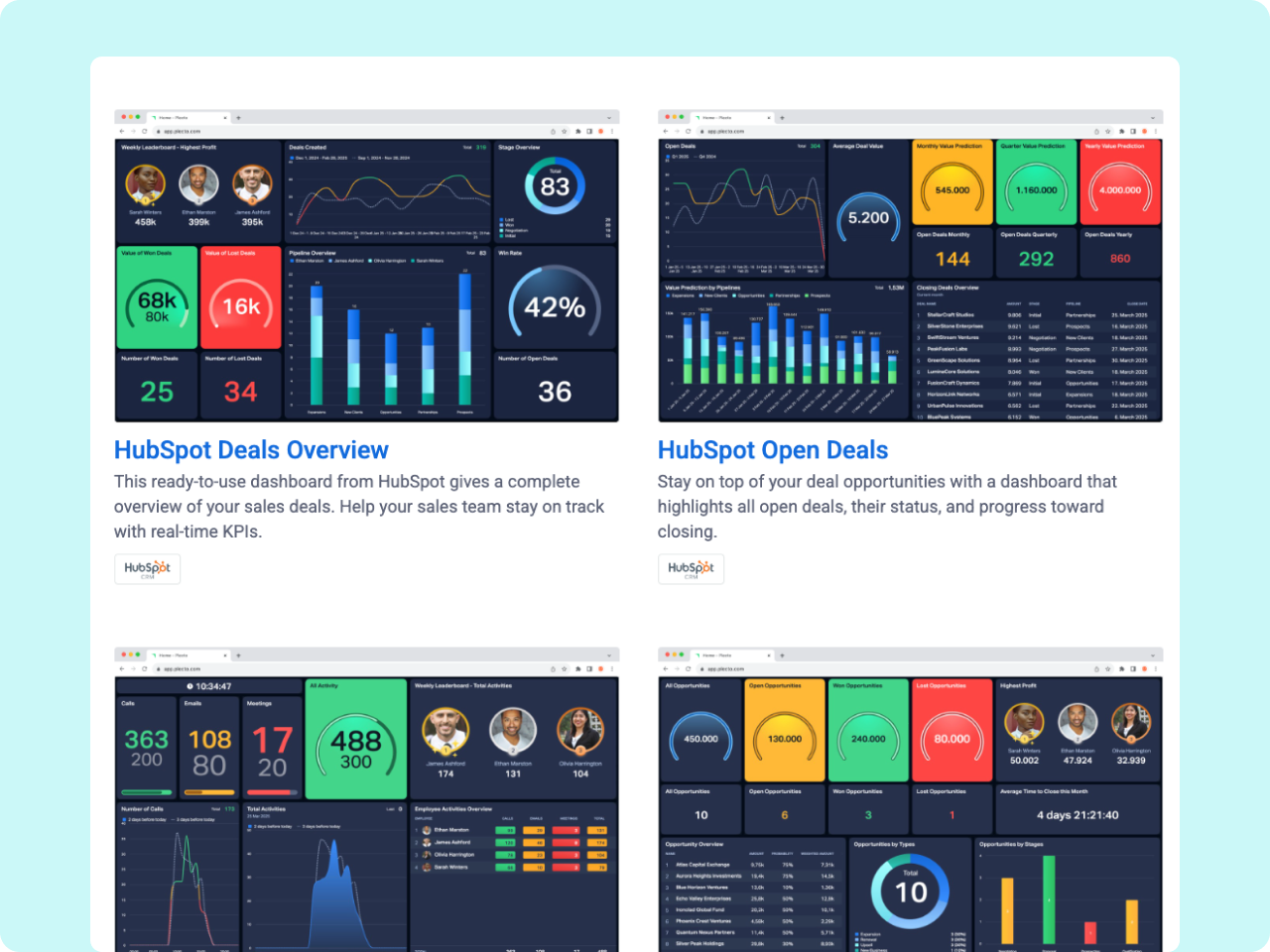
If you're using HubSpot, Salesforce, or Pipedrive, then you're in luck! Find 8 dashboard templates for deals, leads, and activities ready to download and use instantly.
Start building your
first dashboard today.

No credit card required.

FAQs

FAQs about Plecto's Sales Dashboards

A good sales dashboard should include metrics that reflect both activity and outcomes. At a minimum: pipeline value by stage, revenue vs. target, deals won and lost, individual rep performance, and key activity metrics like calls made and meetings booked. The right mix depends on your team's goals: activity-heavy dashboards suit outbound teams, while pipeline and revenue dashboards are more relevant for teams managing longer sales cycles.

A sales activities dashboard focuses on the inputs—the day-to-day actions reps take to move deals forward, like calls, emails, and demos. A sales manager dashboard takes a broader view, combining activity data with outcomes like quota attainment, win rates, and pipeline health. Managers typically use both: the activities dashboard to coach reps in real time, and the manager dashboard to report upward and track team-level performance.

CRM reports are useful but typically static—you run them on demand, often after the fact. Plecto dashboards update in real time, which means your team can see performance changing throughout the day rather than only at end-of-week review. Plecto also lets you combine data from multiple tools in one view (e.g., call data from Aircall alongside deal data from HubSpot), add gamification features like contests and leaderboards, and display everything on a TV screen to keep the whole team aligned.

Plecto integrates with over 150 tools, including HubSpot, Salesforce, Pipedrive, Aircall, Intercom, Zendesk, and more. Once connected, your dashboard data updates in real time — no manual exports or refreshes needed. If you use HubSpot, Salesforce, or Pipedrive, you can also download ready-made dashboard templates from the Plecto Store and be up and running in minutes.