 Sign in
How to Manage Permissions
How to manage permissions
If you are a Global Admin or have full admin access to all features, you can assign or change your employees' permission profiles in Plecto.
You can't change your own permission profile, nor can you edit the permission profile you are assigned.
Custom permission profiles are available on Large and Enterprise plans. Visit our Pricing page to learn more.
Assign or reassign employees to a permission profile
-
Go to Settings > Permissions and open a permission profile.
-
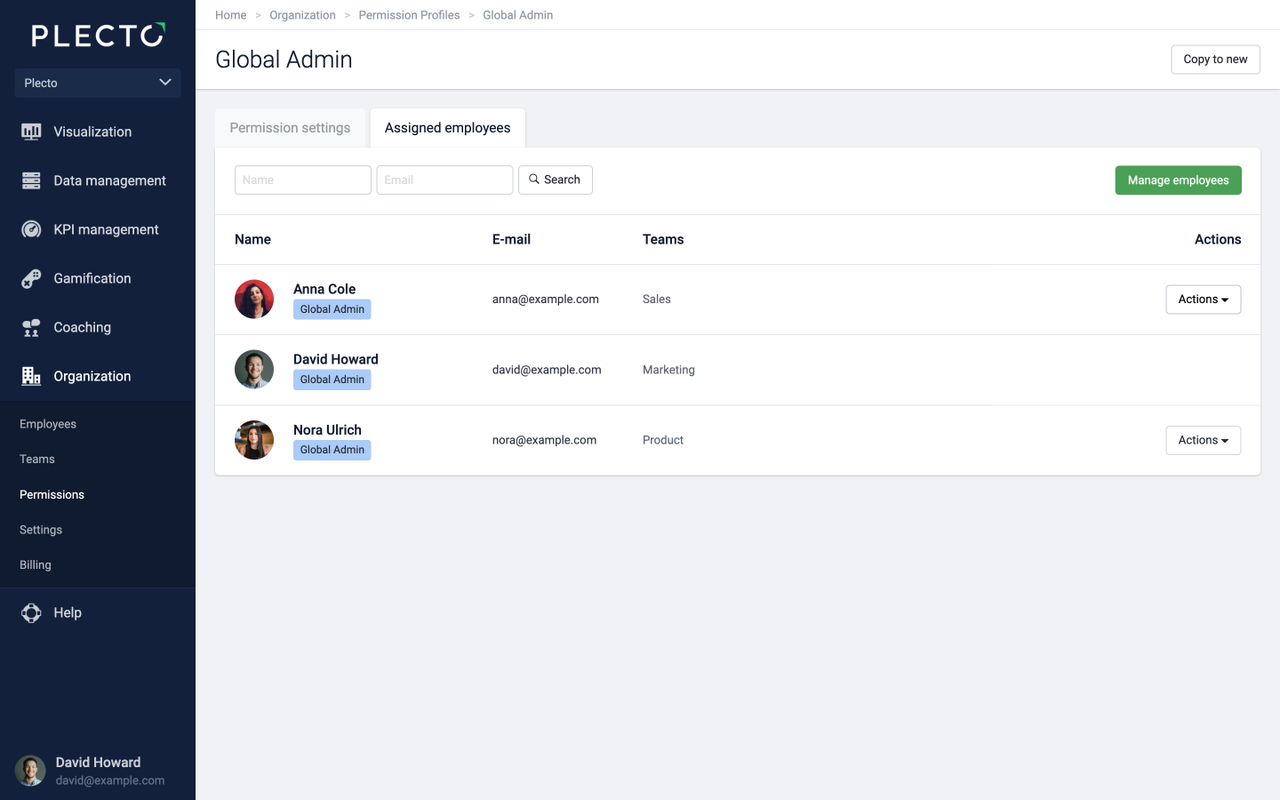
Click on the Assigned employees tab.
-
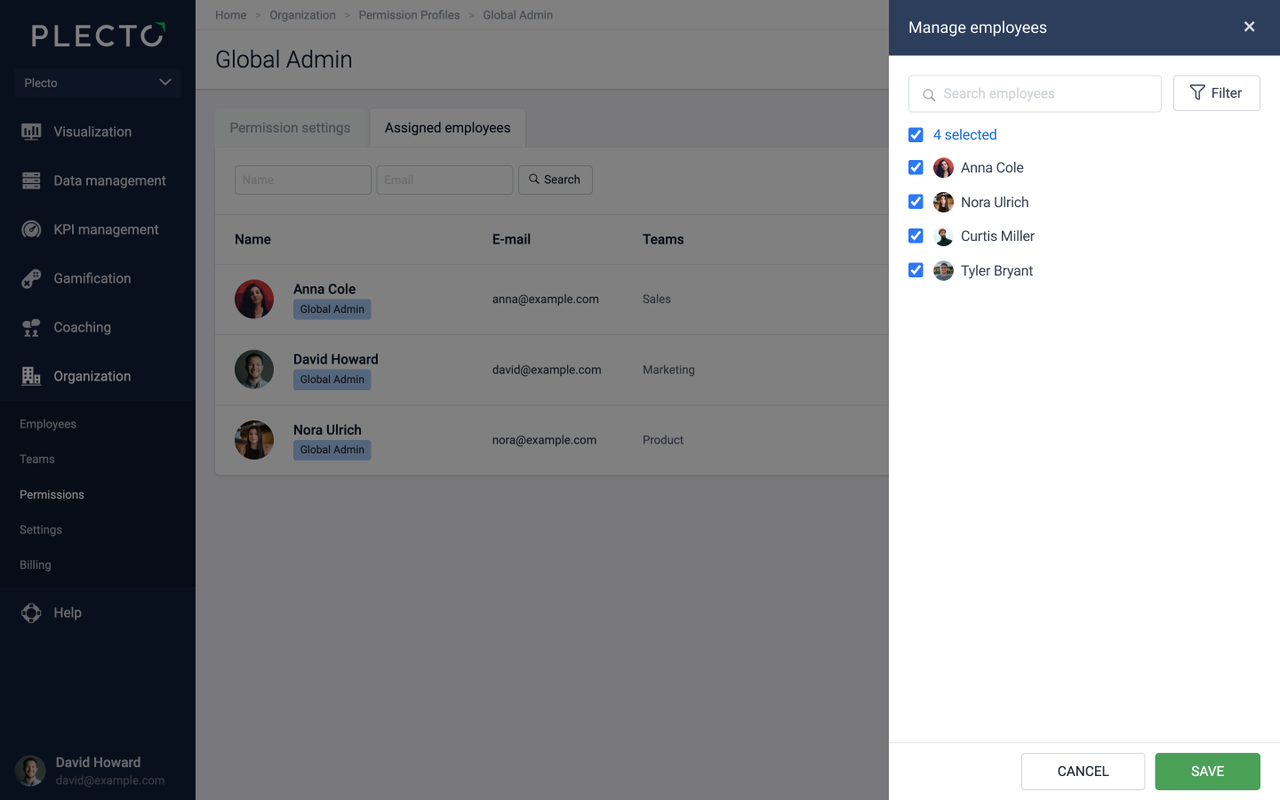
Click the Manage employees button. A list of employees will appear on the right side. Only employees with login access are listed.
-
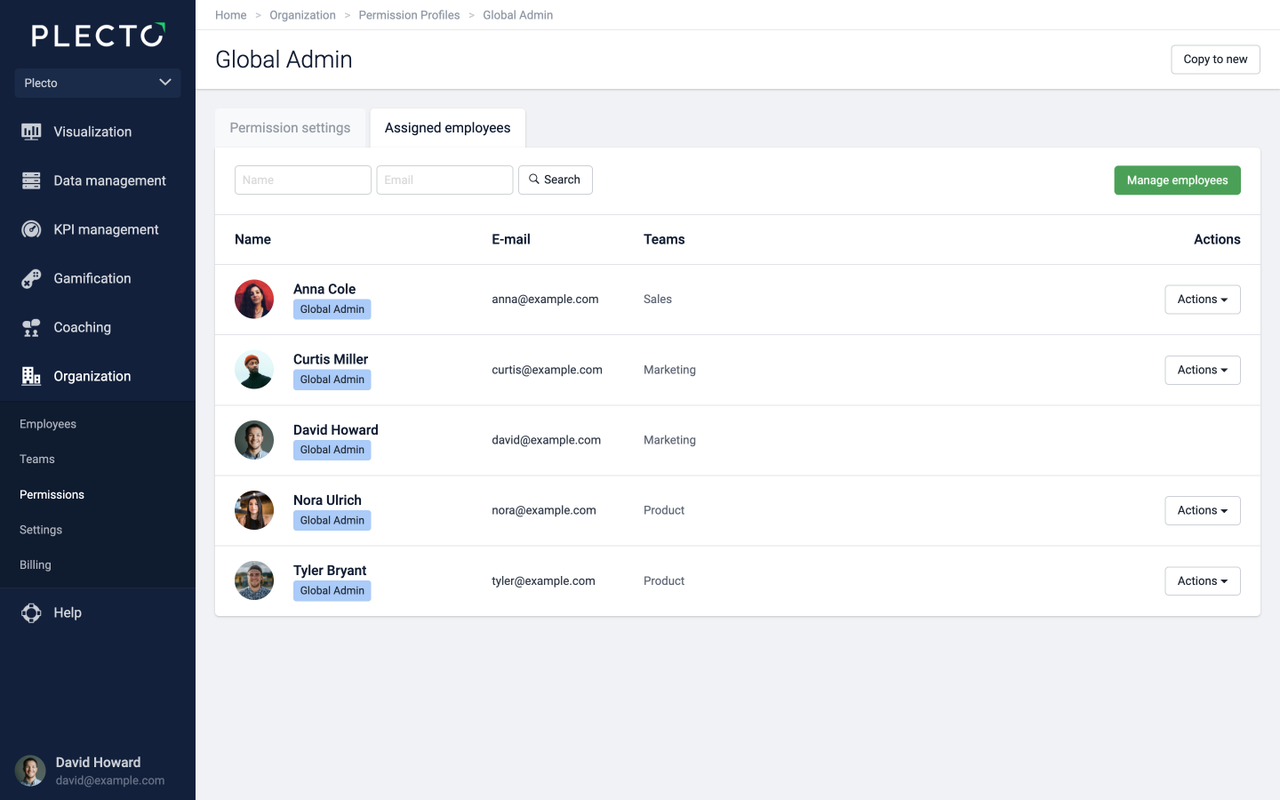
Select the employees you want to assign to this permission profile and click Save.
You can now see all the employees you assigned to this permission profile. Please note that you cannot change your own permission profile. Therefore, you will not see the Actions button in your row.
Remove employees from a permission profile
If you click the Manage employees button and see on the list that some employees are already selected, it means that they are already assigned to this permission profile.
To remove employees from a permission profile, deselect them from the list and click Save.
-
The deselected employees will be removed from this permission profile and reassigned to the default permission profile of your organization. To see which is the default profile, go to Settings > Permissions and look for the Default label.
-
To remove employees from the default permission profile, you will have to open another permission profile and assign your employees to it.
Reassign and remove at once
When you open a permission profile, you can assign new and remove currently assigned employees with one action. Click the Manage employees button and select / deselect employees from the list.
Those added will be reassigned to the permission profile in question; those deselected will be assigned to your organization's default permission profile.