Sign in
Introduction to Dashboards
What are dashboards?
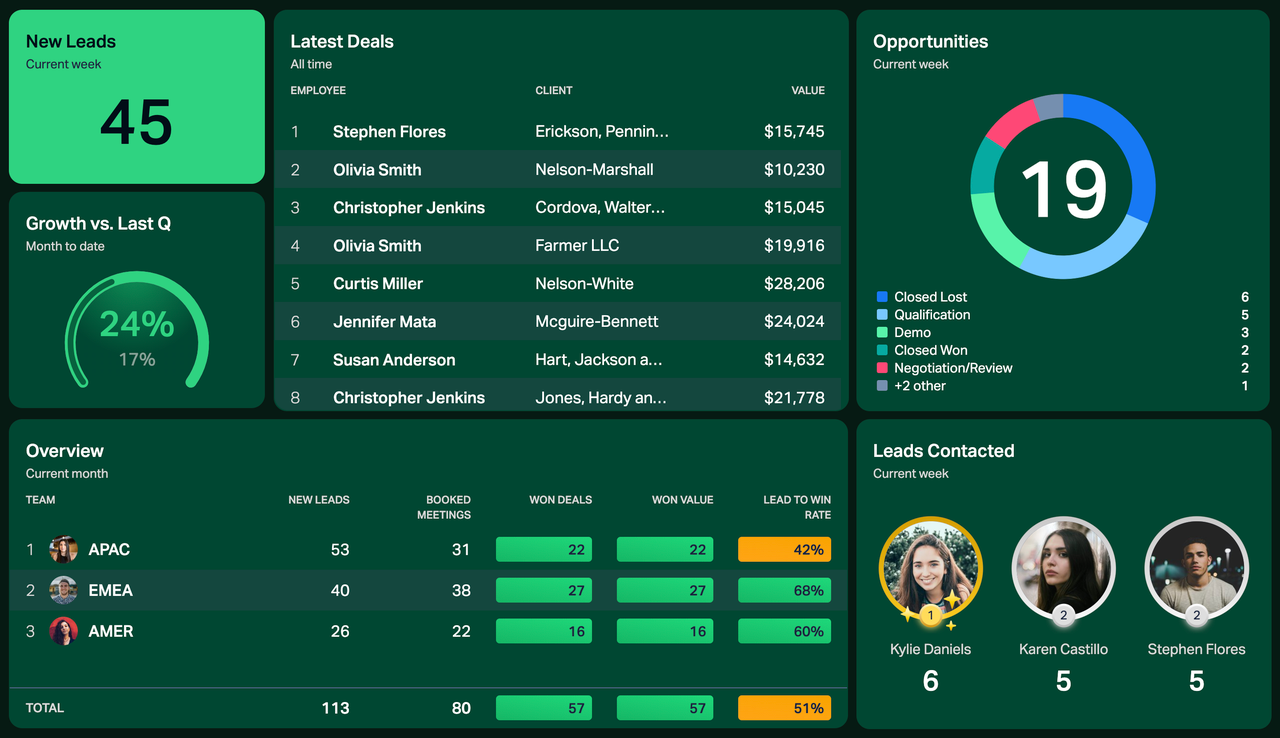
A performance dashboard is a data visualization tool that can help your business measure, monitor, and manage your key activities.
You can build real-time dashboards in Plecto using 13 different dashboard widgets that are easy to add and customize.
👉 Plecto Templates
Install free, ready-made dashboards and reports created by our experts. Integrate your systems with Plecto, then go to the Plecto Templates and see if there's anything you like.
Dashboard types: Default & Dynamic
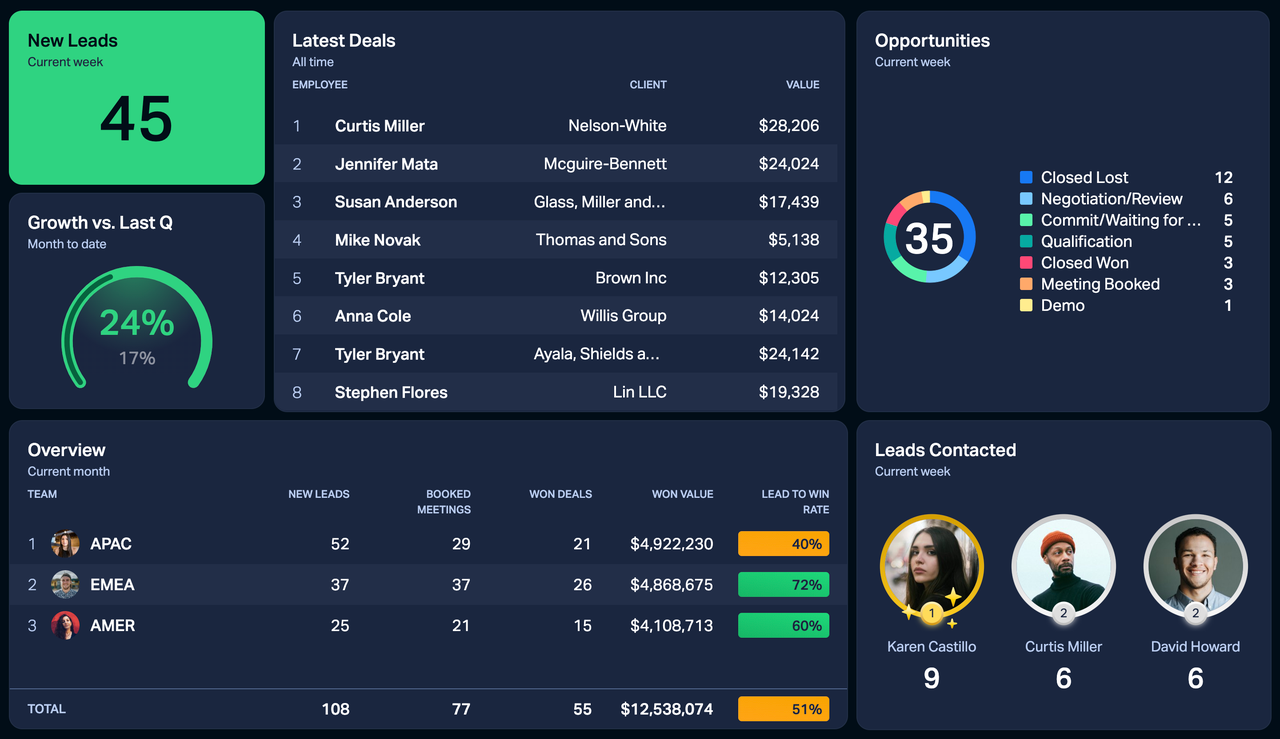
When creating a dashboard, you can choose between two dashboard types – Default and Dynamic (paid add-on).
-
Default dashboard will show data to everyone equally. For example, if this is a Sales dashboard, the Marketing team will also be able to see the KPIs even though their data is not on the dashboard. This type is sharing-friendly.
-
Dynamic dashboard limits data to the person viewing it. For example, if this is a Sales dashboard, a sales rep will only see their own KPIs, all other members of the Sales team will see their own KPIs, and those from Marketing won't see anything. This type is great for quickly generating lots of personal dashboards.
How can I see my dashboard on a TV screen?
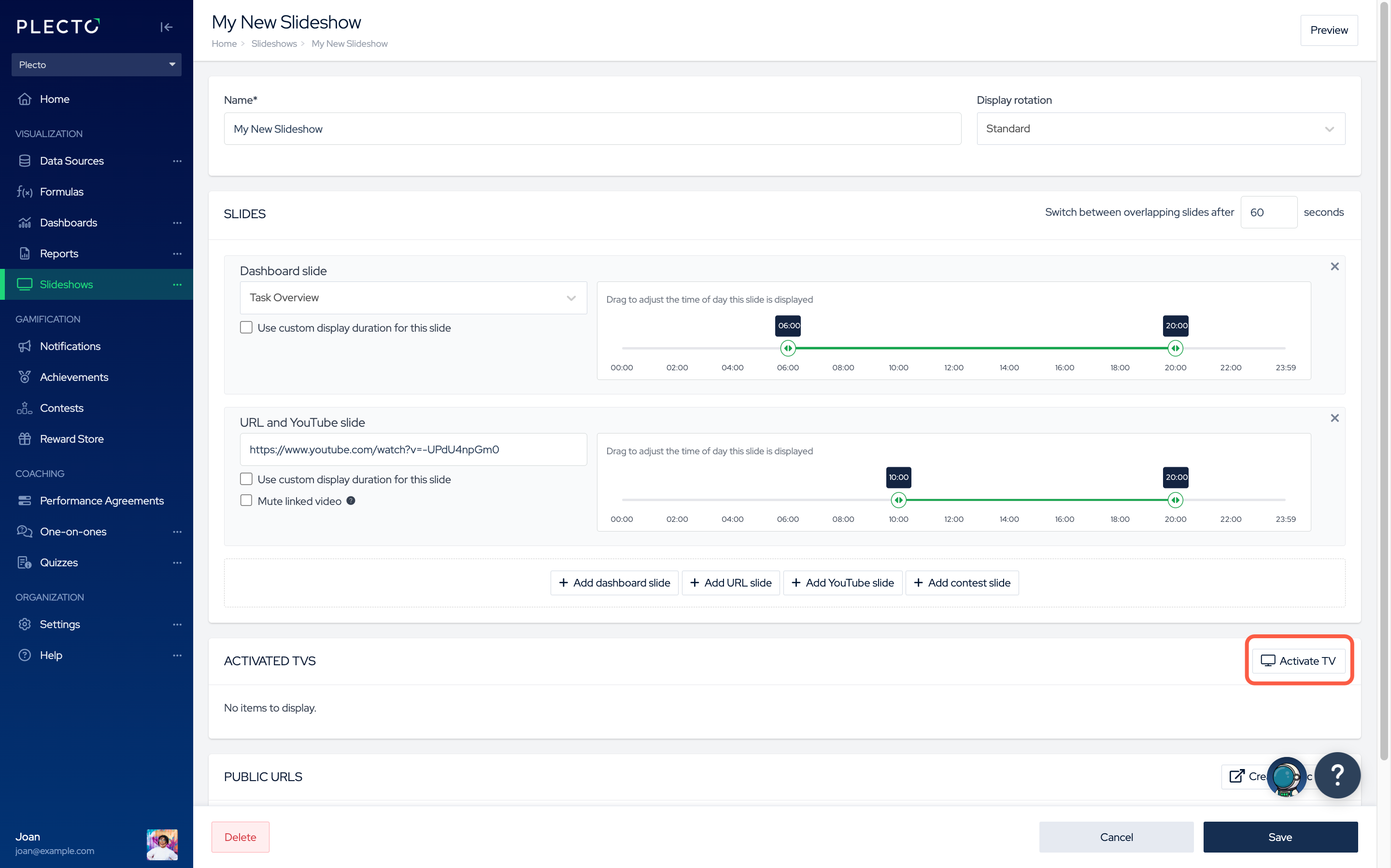
To see a dashboard on a TV screen, you need to:
-
Create a slideshow,
-
Activate the slideshow on a TV.
A slideshow combines different media (dashboards, contests, YouTube videos, URL content) that you can add to the slideshow timeline and display on your TV.
Themes and dashboard widget colors
You can customize the look of your dashboards and contests with Plecto themes. If you are on our Large or Enterprise plan, you can create custom themes.
As for widgets, you can add conditional colors to your formulas, and the widgets will change color based on your progress.
For now, Plecto supports three conditional colors – red, yellow, and green.