 Sign in
The Ultimate Home Office Productivity Guide
Struggling with remote work? Discover proven tips to boost productivity at home, from building routines to using real-time dashboards for motivation.

Home Office Productivity Tips
How Do You Increase Productivity When Working From Home?
Because of the new developments and trends that have occurred as a result of the pandemic, more and more businesses have opted to become flexible and provide a new definition: hybrid work, which incorporates working from home and office work.
No matter if you are an engineer, marketer, or salesperson… As long as your job is done in front of a screen, you can easily move your office. However, it might be the first time for many employees to convert their home, sweet home into a productive office.
But this shouldn’t be taken as a con - at all! In fact, a survey carried out earlier this year shows that 85% of businesses saw an increase in their productivity working from home they started offering remote working options.
Doesn’t sound that scary now, right?
We also know that, at first, it might be difficult to know how to make your place a performance-friendly space and increase your productivity to the maximum while working at home . After all, your house is where you chill and disconnect from work!
Well, we are here to tell you, loud and clear, that you can still rock those numbers and hit the best performance from the comfort of your own house!
Here you have three easy tricks to increase productivity while working from home:
1. Routine Is Your Ally
Routine is nothing else than a group of habits, right? And how many of them are actually directly linked to your workspace?
For instance, you might be used to taking a coffee as soon as you get to the office, or having lunch at a specific time, maybe even using a certain time of the day to reply to your emails or make some calls…
But can this only be done in the office? Doesn’t sound like!
Of course, a workplace is usually equipped with the tools you need to get your job done on a daily basis. And it would probably be a good idea to invest in some of them if your teleworking situation is long-term.
However, if it’s a temporary solution, you can use the tools that you already have to make the best out of your new office space. You definitely don’t need investment to be productive! A computer, a phone and a pair of headphones are, in most cases, enough to get you up and running - and hitting the best performance! Just small essentials around, and you will feel that working from home increases productivity enormously.
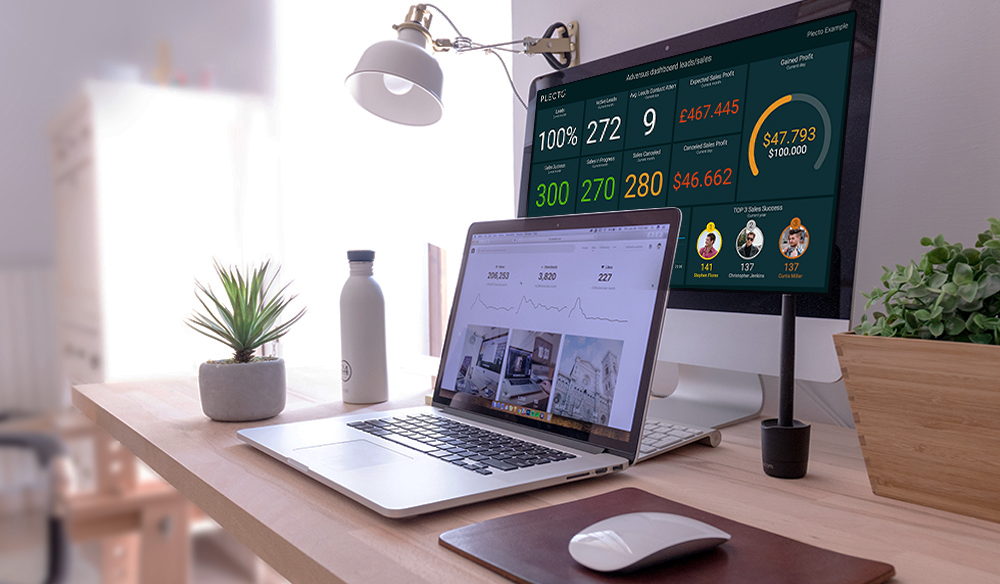
Everything matters
For instance, maintaining your morning routine. This entails everything you would usually do before going to work: from setting the alarm at a specific hour to doing exercise, walking the dog, taking a long shower or sharing a coffee with a friend.
Repeating the same habits even if you are now in a different location will help you keep an active mood, ready to get started with your day and have a high-level of motivation.
If this sounds too hard to follow when working from home, you can also start with smaller - but also effective - tricks. One of these is getting out of your pajamas and into something more office-like. Even though it might sound funny, this will actually tell your brain that it is not time to be cozy but to get your tasks done.
Everything starts with a bit of the right attitude!
As for the habits during working hours, it’s also helpful for your motivation to try to replicate them at home. You probably don’t have the same coffee machine at home, but it’s still coffee, right?
The same happens with your usual breaks – the more able you are to respect them while working from home, the easier it will be for you to keep your motivation up.
It’s all about making it feel like nothing changed at all!
2. Bring Your Performance Home
Your boss is not sitting beside you, your colleagues are out of sight now… How can you actually know if you are being productive working from home?
It might be challenging at first to maintain an office mood if you no longer see what’s going on around it. We get it. However, there are some tools that can make this transition way easier!
And, of course, one of them is Plecto. The benefit of it being a dashboard software is that you don’t really need to be in the office in order to use it - because you can access it from everywhere around the globe!
Working from home can be the perfect occasion to connect your laptop, smartphone or TV to your Plecto account and start displaying your team’s progress KPI in real-time.
Seeing your co-workers performing and working hard will help you do the same. This will not only boost your motivation, but will also increase your productivity working from home.
If you need a little boost to the team’s motivation, you can also organize some fun contests to involve all your employees working from home. As in Game of Thrones, you can challenge the different houses to reach a high target… although you can’t promise dragons as a prize.
Another trick that can be useful to keep them focused during working hours is to create notifications to trigger whenever someone reaches a new goal. Moreover, you can set new alerts to keep up the office spirit and engage teamwork from a distance.
Even though they are at home and can’t celebrate with one another, knowing that they are still reaching goals can stimulate online conversations - which also helps keep an office mindset and increase your productivity while working from home!

Let’s make it fun
There’s no performance without motivation, and there’s no motivation without some fun!
That’s why, apart from making sure your employees have the tools to maintain their performance, you should also save some time for entertainment. And there are as many options as you want for this!
An idea can be, for instance, establishing a break at some point in the afternoon where people can join and play an online game together. It can be something fun and competitive like Chess or Backgammon, or even a Solitaire card game. It doesn’t need to take a long time, an entertaining 5 minutes can be more than enough to raise your employees’ working spirit!
3. Stay in Touch
Maybe you don’t come across with your colleagues in the hallway, but surely your office at home is also much less noisy than the actual workplace. Take the best of both worlds!
The Internet is your best friend, so keep on using it to communicate with your co-workers - wherever you all are. It can be through either your intranet, SoMe channels, video calls or any other tool that works best in your organization.
Talking about communication, research carried out by Queens University of Charlotte in companies offering remote work showed that about 75% of employees rate teamwork and collaboration as “very important”.
The purpose, once again, is to make the change as smooth as possible. And we all know that communicating with the rest of the office is a big part of the daily routine. That’s why you shouldn’t give up on it!
You are working from home, but so are the rest of your colleagues. That means that communication, apart from nice-to-have, is also quite relevant!
As in any other normal day at the office, issues still appear from time to time and probably need more than one person to solve them. The same happens when dealing with clients, suppliers or even for collaboration across departments. Conversations are always on the go!
It's the container that changes, not the content
Maintaining your regular schedules as much as possible will help you adapt easier to working from home. The less the change impacts, the earlier you’ll get used to it.
For instance, a nice way of breaking up with the routine of being in front of the screen alone can be to promote short video calls within teams.
It can be a 10 minute call where the team checks in and catch up on what they are working on, the challenges and whether they need something from someone else. Sometimes it’s enough just seeing a familiar face to talk to, rather than an open chat.
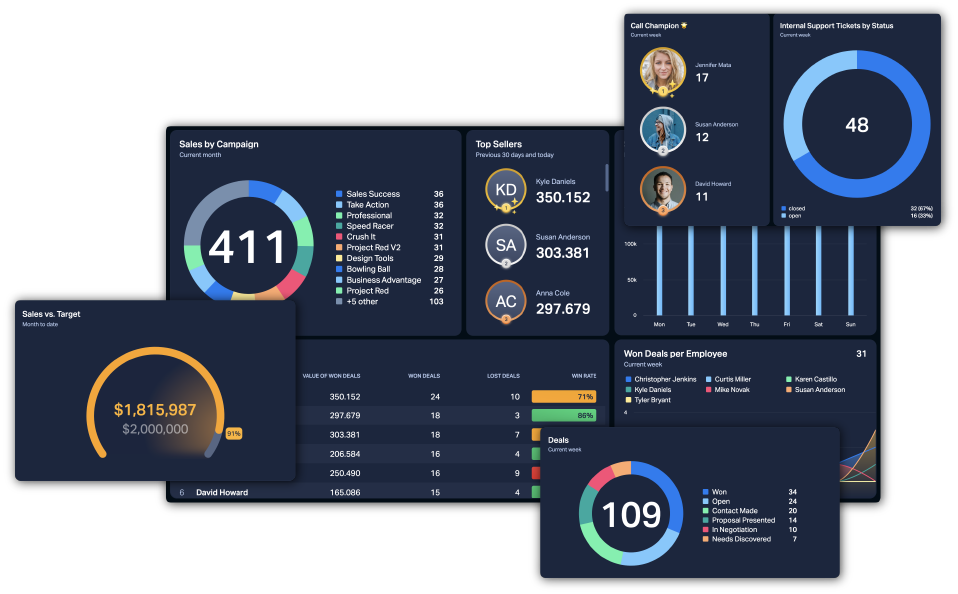
Deep Dive: Data-Driven Leadership with Plecto
It can be tricky to have data-driven leadership when you can´t catch up with everyone right away, how far they are from reaching their goals or simply to keep track of their progress.
However, there are tools that can be of great help for hybrid or fully remote teams. And yes, Plecto is one of them!
Have you heard about Plecto from home? It's equally easy to be a data-driven organization both when working in the office and at home...
If you are still unsure about how to use Plecto when you’re not in the office, we have gathered the top 3 features that will definitely help you keep your team together—as explained by our users. If you want to be a data-driven organization and are unsure how to use Plecto for it while not being in office, we have gathered the top 3 features that will help you with data-driven leadership - as explained by our users.
Real-Time Dashboards to Help Optimize Your Data-Driven Organization
If you’ve been following us for a while, you have probably heard about this already. Yes, we are a company that sells software based real-time dashboards. That will help you with your data driven leadership. Is that all? Of course not, but we want to start from the beginning!
We created Plecto because we want every employee - no matter where - to understand the data they are working with in their data driven organization. Doesn’t it make sense? We think that data shouldn’t be available just for Managers, and it surely shouldn’t be something boring to look at. Unfortunately, it usually is.
So we came up with the idea of integrating the systems used in the data driven organizations to a dashboard so that it will automatically update the data as soon as it’s created. And not just that, it can be displayed 24/7 on a phone, laptop, tablet, TV, and Apple Watch. This will greatly help you with your data driven leadership since everyone can easily follow the data.
Not enough?
We wanted to step it up, so we also give you the option of establishing personalized KPIs that could be tracked anytime, anywhere. Therefore, you not only see your data but also its status in real-time.
Wait! Wouldn’t it be awesome to be able to add some conditional colors to show how far you are from reaching your goal? Well, tell us about it.
You can customize the widgets and themes in the dashboards to make it fun and enjoyable for your team. Seeing the color changing as they get closer to the goal will motivate your employees to focus on turning that middle orange into a shiny green.
Access Plecto from home—or anywhere else
You don’t need an office in order to use Plecto. You only need a link with access to the dashboard, that you can access from any device you have at home - or wherever you are working from.
Moreover, if you have created more than one dashboard… Surprise, you still only need one device. You can create a slideshow that gathers together as many dashboards as you want your employees to display, and get them to repeat on a loop every certain amount of time.
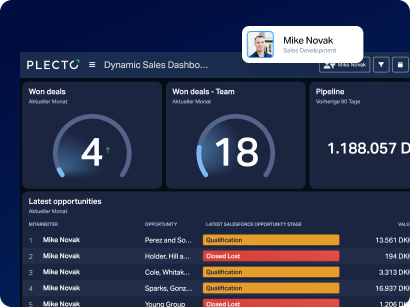
Gamification is Key
We can't stress it enough: you have to keep it fun!
We want our employees to be active, dynamic, and ready for the next challenge. And you’re not going to get that if the best part of going to work is actually leaving.
Luckily, there are many different options to try when it comes to gamification! With Plecto, you can engage your team in some friendly competition from everywhere in the world. And you can customize it as much as you want!
Organizing a contest will take you less than 5 minutes, and it will help you take your KPIs to the next level. You decide who participates - if it’s an entire department or just certain employees, the duration of the challenge and the prize for the final winner(s).
Not only that. To make it more thematic, you can change the background, personalize the widgets, choose the “profile picture” that you want your team to appear with and set alerts to keep it exciting.
What else do you have?
Well, you can also spice up the mood without creating contests! On a daily basis, you can set notifications and alerts to trigger whenever a new KPI is reached. And again, you can personalize it just as much!
You only have to decide the KPIs that you want to celebrate when it is reached, and the type of alert that you want to pop up on everyone's screens at the same time. You can even choose the sound, to make sure the whole team notices.
Like that, your employees are updated on each other’s real-time performance. Let’s motivate them all by showing them - and celebrating - how far they’ve come!
Finally, another gamification option is achievements. Yes, you can reward your employees with personalized badges that will show up next to their names during the period of time that you select. Like that, everyone can see the awards and join the celebration!
The best thing about these gamification options is that they don’t necessarily have to be related to performance. You can also use them to promote an energetic spirit remotely.
For instance, you can create a badge for the one wearing the most original costume to the next video call meeting, or for those who make the best joke in your internal communication channel.
Make it creative to engage your employees with their performance.
Limitless Access to Your Limitless Dashboards
Plecto was designed to bring employees closer to their performance - wherever and whenever. Therefore, this means that Plecto works just as fine in a traditional office than in remote workplaces.
All you need to keep your team engaged with their performance is a link. You can create it by transforming your dashboard into a slideshow, also from Plecto App, so that it can be displayed in real-time.
With this link, each of your remote employees can easily access the dashboards from their devices: laptop, computer, tablet, smartphone and Apple Watch.
You can create as many dashboards as you need, depending on the real-time data that you want to follow.
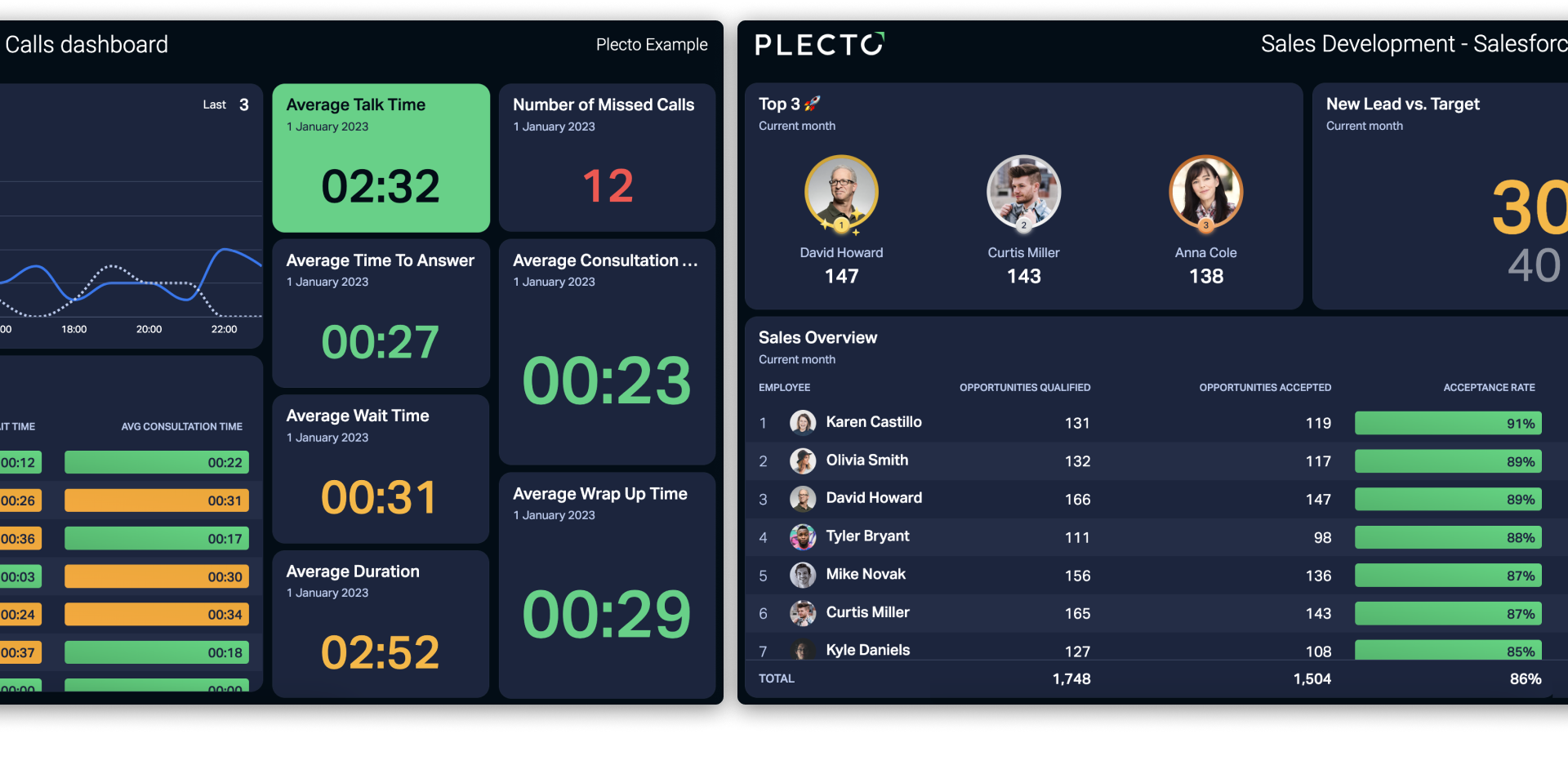
Full control of your data
Working remotely doesn’t involve losing control over your team’s performance. You can still keep track of your employees’ progress by monitoring their results in real-time.
But not only for you, you can also enable the teams’ Managers to get the best overview at all times. How? By creating a dashboard for each of them displaying the main KPIs they need to keep an eye on.
Apart from the KPIs, these dashboards can give Managers a better insight into the employees’ progress with their tasks during the day.
But wait, what if you don’t want the rest of your employees to see these dashboards?
Easy. After creating the dashboard, you can decide who can access it and who can’t. And you can do this separately for every single dashboard that you create! This access can be modified, denied or created at any time, so you can always adapt it to the business’ progress.
All your dashboards on a loop
You—or your employees—don’t need different devices for the different dashboards. You can display all of them from the same screen while working from home.
This is much easier than what you might be thinking. Remember the slideshow we just mentioned? It can contain more than one dashboard at a time, so the same link will grant you access to various dashboards.
You only need to add the dashboards to the slideshow, and it will display them on a loop continuously.
Being able to see the team’s and individual performance in real-time will motivate your employees and give them that boost that we all need to reach new limits!
Access Plecto from home—or anywhere else
You don’t need an office in order to use Plecto. You only need a link with access to the dashboard, that you can access from any device you have at home - or wherever you are working from.
Being able to see the team’s and individual performance in real-time will motivate your employees and give them that boost that we all need to reach new limits! Lastly, we would like to remind you that Plecto can be used from home as well, so that your performance is not compromised for changing locations. Therefore, you can enable your employees to access the dashboards from their laptops, to stay connected to their performance and focused on reaching their goals on time!
Not yet a Plecto customer? Sign up below for a free demo today!
Start your 14-day free Plecto trial today.
Enjoyed the article? Share it:


NATALIA TOBAJAS