 Sign in
Why Your Sales Call Data Never Ends Up in the Dashboard (and How to Fix That)
Most sales calls yield information no CRM field captures, so the dashboard shows a partial picture. Here's how to close the gap between calls and reporting.

A rep closes a deal on Friday, and the CRM updates its status to "won" in the dashboard and in the deal's history. The objection to closing early, the budget comment in passing, and the competitor the client nearly chose instead don't get logged anywhere.
Most every sales call yields information not captured in a CRM field, making the dashboard a partial record of what happened.
The Disconnect Between What Gets Said and What Gets Logged
Sales conversations yield information that never makes it into a CRM field. A prospect mentions a budget constraint in passing, a rep promises to send a follow-up about pricing tiers, and someone names a competitor. This information stays in the conversation, and only gets logged if someone takes the time to remember it, which is not a system.
Most reps are focusing on two things as they listen to a call: what to say next and what they will do after the conversation ends. Taking notes is a distraction, and it shows. Teams that rely on manual note-taking end up with CRM fields that say "good call, follow up next week" instead of something a manager wants to act on.
Why This Is a Reporting Problem
A dashboard has value only insofar as it reflects the data that gets entered. If deal stages update, but the reason for the change stays on an internal "call learnings" spreadsheet, a manager reviewing wins and losses has to understand the conversation, not just the steps taken.
A manager wants to know what reps are saying on calls where things went well or went wrong. Without a record of the conversation, that review is based on a rep's recollection of a call that took place two weeks ago.
The same gap opens up with stalled deals that are stuck in negotiation for weeks. Nobody upstream knows whether that's typical or an early sign of deal decay, because there's no conversation in a record that can be searched to understand the context. If a manager could see that three deals have been stalled at the same point with the same objection, they could intervene before all three are lost, not after the quarter-end close.
Capturing the Conversation Without Complicating the Sale
Some teams are filling this gap with an AI note-taker that listens to calls, captures what was said, and pulls out a summary automatically. Instead of a rep trying to capture notes while engaged in a conversation, the call takes place, and the summary gets captured in the CRM after the fact.
Transcripts Don't Fix the Reporting Problem, Partly Because They Are Harder Than They Look
A transcript doesn't fix the reporting problem. Capturing the call is the easy part—figuring out what from that call to put in the CRM is the hard part. And it's not just a matter of having the right fields, but of executing the same process consistently across every call.
A transcript full of general comments isn't going to allow a manager to spot patterns, but a consistent set of fields logged every time a rep conducts a call will. Having a record in the conversation of objections, other people involved in the sale, risks to the deal, and the next conversation to take place, will enable a manager to spot trends. Say a manager is reviewing five calls from the same week, and sees that three prospects raised pricing within the first ten minutes. On their own, those three calls look like random conversations. Consistently logged and viewed together, they identify a flaw in how the reps are pitching that needs correction before their next round of calls.
Connecting Call Data to the Bigger Picture
Once call summaries and outcomes are consistently logged into the CRM, that information needs a place in the greater ecosystem of dashboards that a manager reviews. This is where Plecto comes in. Plecto pulls call outcomes into dashboards alongside pipeline values, activity, and revenue, so that a manager isn't choosing between seeing the big picture and the details of individual sales conversations.
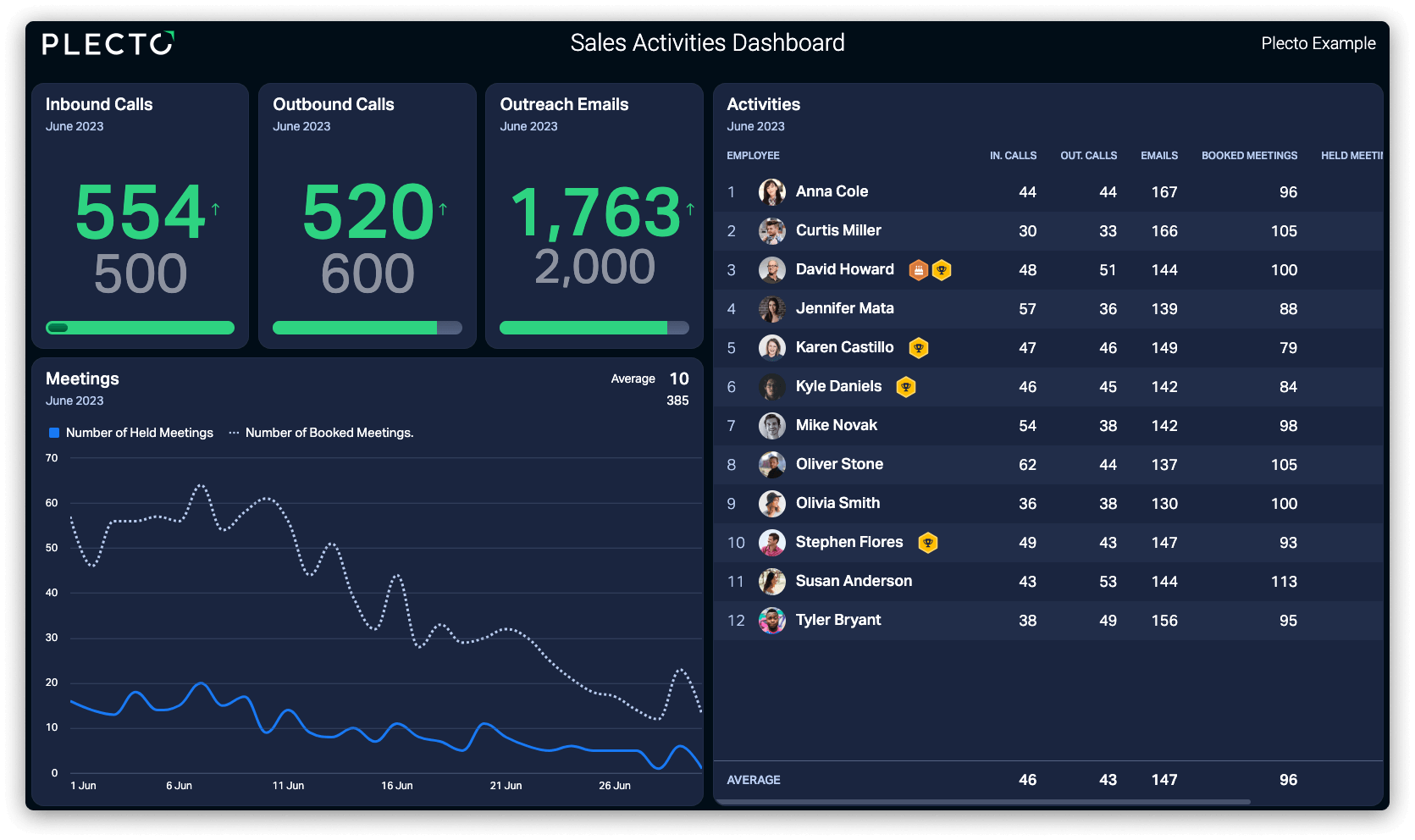
Teams that connect the two—call capture on the front end and unified reporting on the back end—spend less time in status meetings asking "what actually happened on that call?" The answer is logged, searchable, and reflected in the metrics on screen.
The Bigger Point
A sales dashboard is only as good as the data that gets entered, and if the information that drives revenue isn't captured consistently, the dashboard presents a partial picture of what's happening. Fixing this requires closing the one gap between the calls teams make and the information that gets captured. Teams don't need to rethink their entire sales process to update their dashboard metrics—they need to close one gap, between what gets said on a call and what gets recorded, to ensure the information in their CRM reflects the conversations taking place.
See how Plecto turns your team's call data into one unified view of performance.
Questions
Sales call data FAQs
No. It feeds information into the CRM faster, but the CRM remains the system of record.
No. The same approach applies to customer success check-ins, account reviews, and any recurring client conversation worth tracking over time.
Call capture tools are usually a lightweight addition to an existing video or phone setup. Connecting that data to a dashboard depends on how the CRM is structured.
No. It gives managers something to coach from, rather than replacing the coaching conversation itself.
Start your 14-day free Plecto trial today.
Enjoyed the article? Share it:


